MKV, TS and MXF: Getting Video Into a Container Everything Plays
A container is a box, and the codec inside it is what actually matters. Understanding that explains why some conversions take seconds and others take an hour.
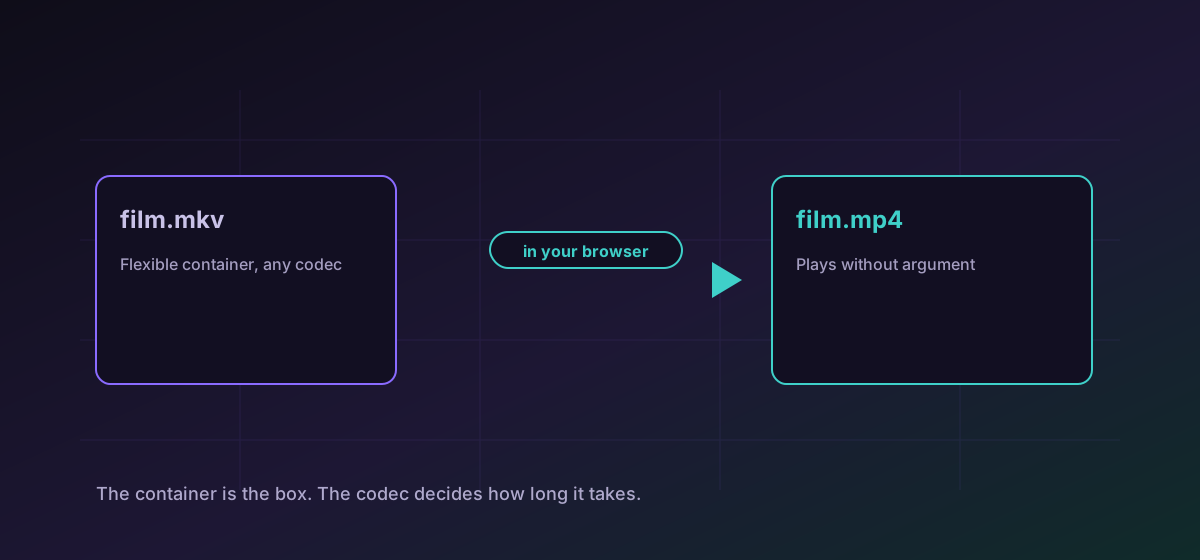
Video files confuse people because the extension describes the box rather than the contents. MKV, MP4, TS and MXF are containers. H.264, HEVC, AAC and PCM are codecs. The container decides what plays it; the codec decides how big it is and how long it takes to produce.
Once that is clear, most video conversion behaviour becomes predictable, including the wide difference in how long it takes.
Why one conversion is fast and another is slow#
If the codec inside the source is one the target container accepts, the conversion can move the existing streams into a new box without touching them. That is fast and lossless because nothing is re-encoded.
If the codec is not accepted, the video has to be decoded and encoded again. That is slow, and it is lossy: re-encoding compressed video always costs quality, however good the settings. An MKV holding H.264 is a quick trip to MP4. An MKV holding something MP4 does not accept is a long one.
The formats you are most likely to meet#
- MKV is the flexible one: multiple audio tracks, multiple subtitle tracks, nearly any codec. Excellent for storage, less welcome on a smart TV. Convert MKV to MP4.
- TS and M2TS are transport streams, from broadcast and Blu-ray. They are built to survive transmission errors rather than to be edited. Convert TS to MP4.
- MXF is the professional broadcast container. It carries production metadata and often very large, lightly compressed video. Convert MXF to MP4.
- WMV is Microsoft's older format, still turning up in archives. Convert WMV to MP4.
What falls out of the box on the way#
- Extra audio tracks. MKV routinely holds several languages; a converted MP4 usually keeps one.
- Subtitle tracks. MKV embeds them, and MP4 subtitle support is narrower. Extract them separately if they matter.
- Chapters. Widely supported in MKV, patchily elsewhere.
- Production metadata, in the case of MXF, which is frequently the reason the format was chosen.
If subtitles are the point, extract them first and handle them properly; the subtitle guide covers the formats. If you only want the sound, extracting audio from video is faster than converting the whole file.
Video is the format most bounded by your device#
Everything here happens in your browser, which means it happens in your device's memory with your device's processor. A short clip is unremarkable. A two-hour broadcast capture that needs re-encoding is a genuinely heavy job, and a phone will struggle where a laptop will not.
Test with a short section before committing to a long file. If size rather than compatibility is the problem, compressing video in the browser is the better starting point.
Troubleshooting
The source codec is not accepted by the target container, so the video is being re-encoded rather than repackaged. Expect minutes rather than seconds, and test on a short section first.
Multi-track audio is an MKV strength that MP4 does not match. Choose the track you need before converting if the file has several.
They were embedded in the source container. Extract them as a separate subtitle file rather than expecting them to travel.
Video is the heaviest thing this site does and it runs on your device. Use a machine with more memory, close other tabs, or work on a shorter section.
Frequently asked questions
What is the difference between a container and a codec?
The container is the box and the codec is how the video inside it is compressed. MKV and MP4 are containers; H.264 and HEVC are codecs. The container decides what will play the file, the codec decides its size and quality.
Why is MKV to MP4 sometimes instant and sometimes slow?
If MP4 accepts the codec already inside the MKV, the streams are moved into a new container untouched. If it does not, the video must be decoded and re-encoded, which takes far longer and costs quality.
Is MP4 better than MKV?
No, it is more compatible. MKV is the more capable container. MP4 simply plays on more devices without argument, which is what matters for a file you are sending to someone else.
Will I lose quality?
Only if the video has to be re-encoded. Repackaging the same streams into a new container is lossless; re-encoding compressed video always costs something.
Can my phone handle a two-hour video?
Probably not if it needs re-encoding. The work happens on your device, so long files that require re-encoding want a laptop rather than a phone.