M4R and M4A Hold the Same Audio. Only One Is a Ringtone
Some file extensions are the only thing distinguishing a file from its sibling, and a browser that renames the download breaks the conversion you asked for. A small problem with a real fix.
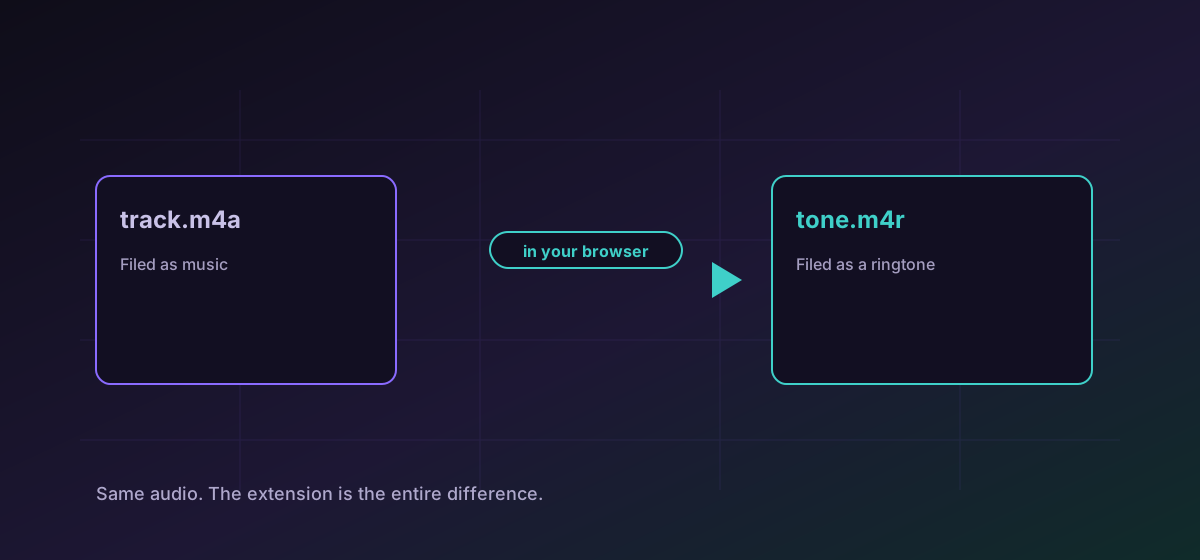
An M4R and an M4A can contain byte-for-byte identical audio. The difference is the extension, and the extension is the whole point: iOS files one as a ringtone and the other as a music track. Nothing inside the file decides that.
This is a small class of formats where the name carries meaning the contents do not, and it produces a failure mode worth knowing about.
Six formats where the name is the difference#
- M4R and M4A: the same bitstream. One becomes a ringtone, the other a track.
- ALAC and M4A: Apple Lossless usually lives in an MP4 container, so it shares a media type with ordinary M4A audio.
- DIVX and AVI: DivX video commonly sits in an AVI container and declares the same type.
- MPG, VOB and MPEG: all MPEG program streams. A DVD player expects VOB; a media library expects MPG.
- M4V and MP4: M4V is Apple's variant of MP4 and begins with the same container signature.
Why a browser used to rename these#
Browsers are cautious about downloads, reasonably so. Firefox's download manager inspects the actual bytes and, if the declared type is one it recognises, rewrites the suggested filename to that type's canonical extension. For most files that is helpful. For these six it is exactly wrong.
Nothing about the audio changed, and the bytes are still checked. The container is verified against its real signature before the file is built, and the output is checked again afterwards. Only the declared type is generic, which is an honest description of a file being delivered rather than played.
Making a ringtone#
Convert M4A to M4R and you have a ringtone. Two practical notes: iOS expects a ringtone to be short, traditionally under about forty seconds, and long files are typically rejected or truncated. Trim before converting rather than after.
If the source is a lossless file, the lossless audio guide covers which master to work from. If it is inside a video, extracting audio from video is the first step.
The general lesson#
When a download arrives with a different extension than you asked for, the file is usually fine and the name is wrong. Renaming it by hand normally works, because the contents were correct all along.
It is worth checking rather than assuming, though. A file that is genuinely the wrong format and a file that was merely renamed look identical in a folder listing, and the difference only appears when something tries to play it.
Troubleshooting
The browser sniffed the container and renamed it. The contents are almost certainly correct; rename the file back and try it.
It is probably too long. Trim the audio to under about forty seconds before converting rather than after.
Check whether the extension matches the real container. A renamed file and a genuinely wrong file look identical in a folder listing.
It was filed as music. That is the M4R and M4A distinction, and it is decided by the extension rather than the contents.
Frequently asked questions
What is the difference between M4R and M4A?
The extension, and that is genuinely all. Both hold the same kind of audio in the same container; iOS files one as a ringtone and one as a music track based on the name.
Why did my download get renamed?
Some browsers inspect the bytes and rewrite the suggested filename to the canonical extension of the type they recognise. For formats that share a container with a sibling, that produces the sibling's name.
Is the file damaged if the extension changed?
Almost never. The contents are correct and only the name was rewritten, so renaming it back usually resolves it entirely.
How long can an iPhone ringtone be?
Traditionally around forty seconds. Longer files are typically rejected or truncated, so trim the audio before converting.
Is my audio uploaded to make a ringtone?
No. The conversion runs in your browser, which is a meaningful difference from the ringtone sites that have historically worked by taking your file.