Lossless Audio: FLAC, ALAC and When WAV Is Still the Right Answer
Three ways to store audio without throwing anything away, and one rule that decides between them. Also why converting a lossy file to a lossless one improves nothing at all.
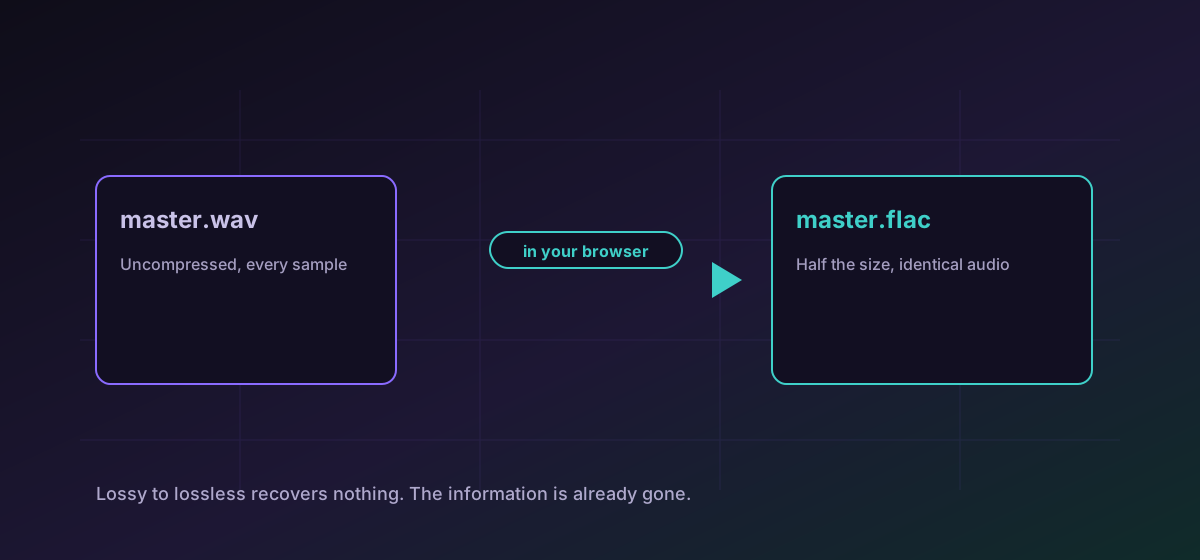
Lossless means the file can be decoded back to exactly the samples that went in. Not nearly, not imperceptibly close: identical. FLAC, ALAC and WAV are all lossless, and choosing between them is almost entirely a question of what will play the file.
The difference in one paragraph each#
- WAV is uncompressed. Every sample is written out in full, so a stereo CD-quality minute is about ten megabytes. It is the safest possible interchange format and the worst possible storage format.
- FLAC is compressed and lossless, typically around half the size of the WAV it came from. It is open, widely supported, and the default choice for an archive.
- ALAC is Apple's lossless codec. Functionally equivalent to FLAC; it exists because Apple's ecosystem preferred it, and support outside that ecosystem has improved but is still narrower.
So: archive in FLAC, deliver in WAV when a studio or a piece of hardware asks for it, and use ALAC when the destination is an Apple device that insists. Convert WAV to FLAC to reclaim roughly half the disk space with no loss whatsoever, or convert FLAC to ALAC when moving a library into Apple's world.
The rule that matters most#
This comes up constantly in music libraries, because a FLAC downloaded from an unclear source may have been an MP3 an hour earlier. The file extension is a claim, not a measurement.
Going the other way is fine#
Converting a lossless master into MP3 or AAC for a phone is entirely reasonable, and it is how distribution has always worked. Keep the lossless file as the master and generate lossy copies from it as needed. Convert FLAC to MP3 when you want something small and universally playable.
What you should avoid is generational loss: encoding an MP3 to AAC to MP3 again. Each lossy step throws away more, and the damage accumulates in a way that eventually becomes obvious.
Sample rate and bit depth travel with you#
A lossless conversion preserves sample rate and bit depth. A 96 kHz, 24-bit recording converted to FLAC is still 96 kHz and 24-bit. If a file comes back at a different rate, something resampled it, and that is a change to the audio rather than a change of container.
Metadata is the usual casualty instead. Tags, artwork and chapter markers are stored differently by each format, and a conversion may carry some and drop others. Check tagging after moving a library, not before.
Checking a lossless conversion#
- Confirm the duration matches. A truncated file is the most common real failure and the easiest to spot.
- Confirm sample rate and bit depth are unchanged.
- Listen to the first and last few seconds. Problems cluster at boundaries.
- Check tags and artwork if the library depends on them.
The broader habit is in verifying conversion results, and if the audio is inside a video file, extracting audio from video is the relevant guide.
Troubleshooting
Because it is the same audio. Lossless encoding preserves what it is given and cannot recover what an earlier lossy step discarded.
Metadata is stored differently by each format and does not always carry across. Re-tag after moving a library rather than assuming it travelled.
WAV is uncompressed, so it is several times the size of the FLAC or MP3 it came from. That is the format working as intended.
Something resampled the audio, which is a change to the audio itself rather than to the container. Check the export settings in whatever produced the source.
Frequently asked questions
Does converting MP3 to FLAC improve the quality?
No. It produces a larger file containing exactly the same audio, artefacts included. The discarded information is gone and no later encoding step can recover it.
FLAC or ALAC?
FLAC unless the destination is an Apple device that insists on ALAC. They are functionally equivalent; FLAC simply has broader support outside Apple's ecosystem.
Why would anyone keep WAV?
Because it is uncompressed and universally accepted by studio hardware and software. It is the right delivery format when something asks for it by name, and the wrong format for storing a library.
Is a lossless conversion really identical?
Yes, for the audio samples. Decoding a FLAC returns exactly the samples that went in. Metadata is the part that may not survive intact.
Is my recording uploaded anywhere?
No. The conversion runs entirely in your browser, which matters for an unreleased mix or master in a way it might not for a finished track.