Notebooks, AsciiDoc and LaTeX: Turning Source Documents Into Something Readable
Jupyter notebooks, AsciiDoc, reStructuredText and LaTeX are all source formats that expect a toolchain. Here is how to get a readable document out of one without installing it.
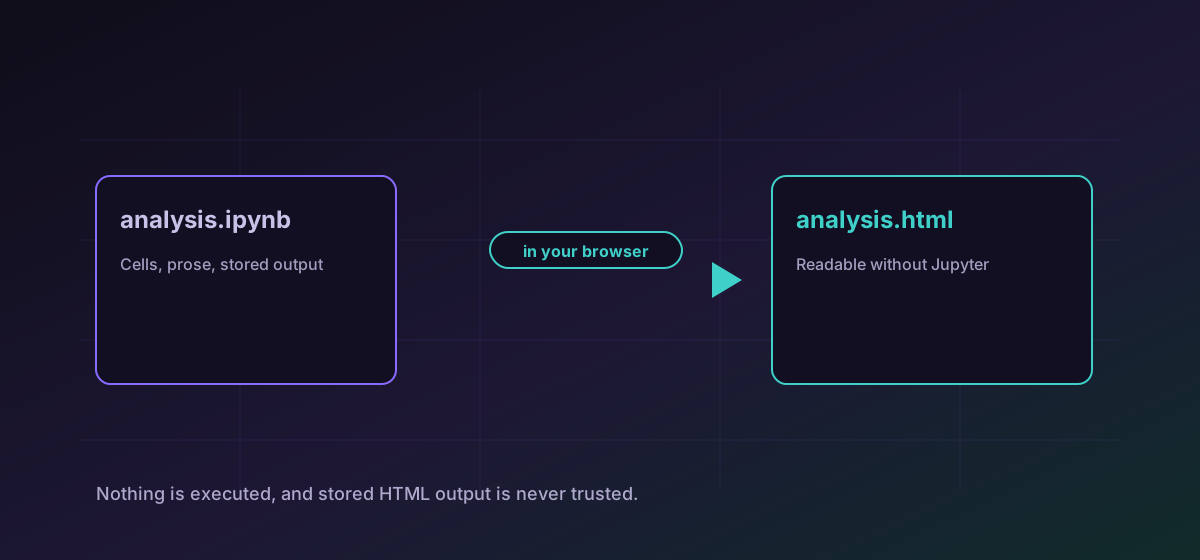
Some documents are source code for a document rather than the document itself. A Jupyter notebook is JSON describing cells. AsciiDoc, reStructuredText and LaTeX are all markup that a toolchain turns into a finished page. Each assumes you have that toolchain installed, and often you do not.
Converting them to HTML or Markdown gets you something readable without setting up a build. What matters is knowing what the conversion deliberately does not do.
Notebooks: cells, not execution#
A notebook holds source cells, markdown cells, and whatever output was stored the last time someone ran it. Convert IPYNB to HTML produces a readable page from that stored content.
That has a practical consequence: a notebook saved with cleared outputs converts to a document showing code and prose and no results. Run it and save before converting if the outputs are the point.
AsciiDoc and reStructuredText#
Both are structured markup used heavily in technical documentation. Convert AsciiDoc to HTML for a readable page, or convert reStructuredText to Markdown when moving content into a system that speaks Markdown.
Both formats support file includes and directives that pull in other content. Those are disabled here, for the same reason notebook execution is: a document that can read arbitrary files during conversion is a document that can exfiltrate them. A source referencing an include converts without the included content rather than with it.
LaTeX: prose, not typesetting#
LaTeX is a programming language for typesetting, and honest expectations matter here. Convert LaTeX to Markdown extracts the prose through a non-executing profile. Shell escape and file commands are disabled.
What that means in practice: headings, paragraphs, lists and basic structure come through. Custom macros, complex mathematics, bibliography processing, cross-references and precise layout do not. For a paper that needs to look like the paper, compile it properly. For getting the words into a CMS, this is the fast path.
Markdown is a destination, not a round trip#
Converting reStructuredText or LaTeX to Markdown is a one-way move worth understanding as such. Markdown is deliberately a small language: it has headings, emphasis, lists, links, code and little else. The source formats are considerably richer, and everything that has no Markdown equivalent has to be flattened, approximated, or dropped.
Admonitions become ordinary paragraphs. Roles and directives that generated cross-references become plain text. Tables survive simple cases and struggle with merged cells. None of this is a failure of the conversion; it is the shape of the target. The practical rule is to convert when the content is moving to a system that speaks Markdown for good, and not to expect to convert it back.
That is also why keeping the source in version control matters. The Markdown is generated output. If someone edits the Markdown and someone else regenerates it from the source, one of those two pieces of work disappears without warning.
Picking a target#
- HTML when someone needs to read it in a browser and you want the structure preserved as closely as possible.
- Markdown when the content is moving into another system that will render it again.
- PDF when it is going to be filed, printed or attached and should look the same everywhere.
For the PDF route and document formats generally, see documents to PDF and EPUB.
Troubleshooting
The notebook was saved with its outputs cleared. Nothing is executed during conversion, so only stored output can appear. Run it and save before converting.
Includes and file-reading directives are disabled on purpose. Inline the content in a working copy before converting.
This route extracts prose rather than typesetting. Compile the document properly if the mathematics needs to render.
Macros are definitions the full toolchain expands. A non-executing profile cannot expand them; replace them in a working copy if their output is needed.
Frequently asked questions
Does converting a notebook run the code?
No, and deliberately so. The notebook is read as a document. Only output that was already saved in the file can appear, and stored HTML output is not trusted.
Why are my notebook's charts missing?
The notebook was saved with cleared outputs. Run the cells and save before converting; there is nothing in the file for the conversion to show.
Will LaTeX convert perfectly?
No. It extracts prose and basic structure. Custom macros, complex mathematics, bibliography processing and precise layout need the real toolchain.
Why are file includes disabled?
Because a document that can read arbitrary files during conversion is a document that can be used to extract them. Inline the content deliberately instead.
Is my document uploaded?
No. Everything runs in your browser, which matters for unpublished research and for notebooks that quite often contain credentials.