Point Clouds and Print Files: PCD, XYZ, PLY, 3MF and AMF
A scan produces points. A printer wants a surface. These are different things, and the gap between them is the single most common misunderstanding in 3D work.
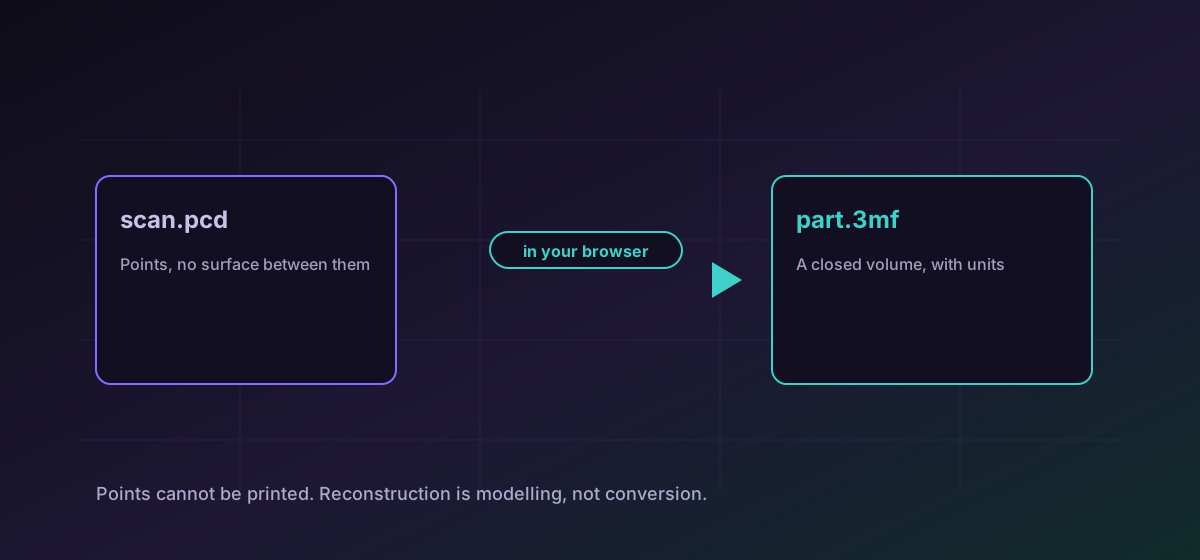
There are two families of 3D file that look similar in a folder and are not remotely the same thing. One holds points: coordinates in space, produced by a scanner or a depth sensor. The other holds surfaces: triangles that enclose a volume, which is what a printer or a renderer needs.
Mistaking one for the other is the source of an enormous amount of wasted time, so it is worth being precise about which you have.
Point clouds: PCD and XYZ#
A point cloud is exactly what it sounds like: a long list of coordinates, sometimes with colour or intensity attached. XYZ is the simplest possible expression of that, often just three numbers per line. PCD is the Point Cloud Library's format, with a header describing the fields. Both travel into PLY, which can hold either points or a surface and is the usual meeting place.
Convert PCD to PLY or convert XYZ to PLY to get scan data into something most 3D software will open.
Print files: STL, 3MF and AMF#
On the surface side, STL is the incumbent and the weakest. It stores triangles and nothing else: no units, no colour, no materials, no assembly. It is universally supported precisely because it asks so little.
3MF was designed to replace it, and carries units, colour, materials and multiple objects in one package. AMF had similar aims and less adoption. If your slicer accepts 3MF, it is the better file: convert STL to 3MF or convert AMF to 3MF.
- STL: maximum compatibility, minimum information. Always check units on the receiving side, because the file does not carry them.
- 3MF: units, colour and multiple objects survive. Prefer it wherever it is accepted.
- PLY: the honest middle ground, able to hold points or a surface, widely readable, not a print format.
Telling which one you have#
- Open it in a viewer. A cloud looks like a fog of dots and a mesh looks like a solid object, and that is usually enough.
- Check the file for faces. A PLY header lists both vertex and face counts; zero faces means points only.
- Look at the origin. Scan data is often positioned wherever the scanner was, far from the origin, which trips up slicers.
- Check the scale. Scanners commonly work in metres and printers in millimetres, a factor of a thousand.
For CAD solids rather than scans, STEP and IGES is the relevant guide, and converting 3D models covers moving between mesh formats.
Troubleshooting
The file is probably a point cloud rather than a mesh. Check whether it declares any faces; points alone cannot be sliced.
Scanners commonly work in metres and printers in millimetres. Set the unit explicitly rather than scaling by eye.
Scan data keeps the coordinate system it was captured in. Move it to the origin in a mesh tool before slicing.
STL cannot carry colour at all. Use 3MF if colour has to survive to the printer.
Frequently asked questions
Can I 3D print a point cloud?
Not directly. Points have no surface between them and a printer needs a closed volume. Reconstructing a surface is a modelling step with real decisions in it, not a conversion.
Should I use STL or 3MF?
3MF wherever your slicer accepts it. It carries units, colour and multiple objects; STL carries triangles and nothing else, which is why it needs the unit confirmed every time.
What is PLY for?
It sits in the middle: it can hold points or a surface, it is widely readable, and it is the usual destination for scanner output. It is not a print format.
Why is my model in the wrong place?
Scan data keeps the coordinates it was captured in, which can be a long way from the origin. Reposition it in a mesh tool rather than expecting the slicer to guess.
Is my scan uploaded?
No. Everything runs in your browser, which matters when the file is a survey of a client site or a scan of an unreleased product.