BibTeX and RIS: Moving a Reading List Between Reference Managers
Two formats hold nearly every citation ever exported, and every reference manager prefers a different one. What converts cleanly, what each tool adds on top, and why keys matter.
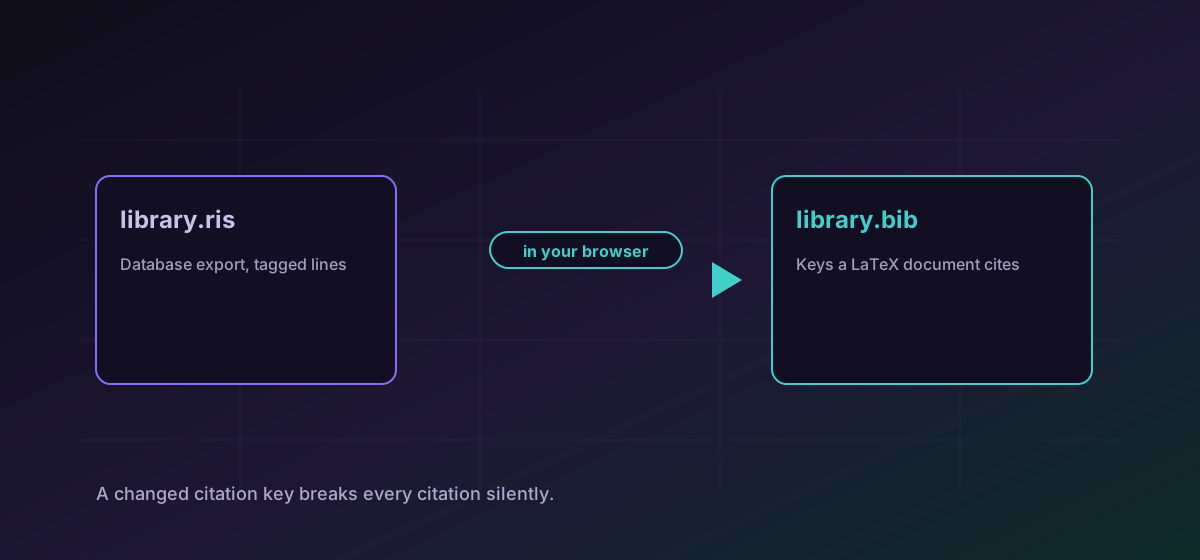
Anyone who has moved between reference managers has met this. Your library exports RIS, the new tool wants BibTeX, or your co-author uses LaTeX and you do not. Both formats describe the same thing, a list of works with authors, titles, years and identifiers, and they have almost nothing else in common.
What the two formats are#
- BibTeX comes from the LaTeX world. Each entry has a type, a citation key, and a set of fields in braces. The citation key is the thing you type in a document to cite it, which makes it more than an identifier.
- RIS is a line-based tagged format from the commercial reference-management world. Two-letter tags, one field per line, repeated tags for multiple authors. Nearly every academic database offers a RIS export.
So the two common moves are converting RIS to BibTeX when a database export needs to reach a LaTeX document, and converting BibTeX to RIS when a library needs to reach a reference manager. If you want the list as data rather than as a bibliography, convert BibTeX to CSV.
Citation keys are the part that breaks documents#
RIS has no direct equivalent of the BibTeX key, so a conversion into RIS and back may not return exactly what it started with. If your document already cites those keys, keep the original BibTeX and treat the converted file as a one-way export.
Entry types do not map one to one#
BibTeX has a fixed set of types: article, book, inproceedings, techreport and a handful of others. RIS has a much longer list including formats BibTeX never anticipated, such as datasets, web pages and standards. Converting from RIS therefore sometimes has to approximate.
The practical consequence is that an entry may arrive as a more generic type than it was. That affects how a bibliography style formats it, so it is worth scanning entry types after a conversion if the output has to meet a specific style guide.
Names, accents and braces#
Author names are the other reliable source of trouble. BibTeX has conventions for particles and suffixes that a simple parse can mishandle, and older BibTeX files escape accented characters with TeX commands rather than using the characters directly.
Braces in titles are meaningful too: they protect capitalisation from a style that would otherwise lowercase it. A title that loses its braces can come out as sentence case when it should be title case, which is exactly the kind of thing a reviewer notices.
A sensible check#
- Count the entries. A converted file with fewer references dropped something, and that is the cheapest possible check.
- Look at three entries in full: one article, one book, one thing that is neither.
- Check DOIs and identifiers specifically. They are the fields most worth having and the easiest to lose to an unmapped tag.
- Compile a test document before touching the real one, if keys are involved.
If the citations live inside a LaTeX source rather than a separate bibliography, the notebooks and markup guide covers what does and does not survive that conversion.
Troubleshooting
The citation keys changed. Compare keys between the original and converted file; the document cites by key and a regenerated key matches nothing.
Older BibTeX escapes accents with TeX commands rather than characters. Normalise the source encoding before converting.
Braces in a BibTeX title protect capitalisation from the bibliography style. If they were stripped, restore them around proper nouns and acronyms.
RIS has types BibTeX does not, so some must be approximated. Review entry types if the output has to follow a specific style guide.
Frequently asked questions
Which format should I keep my library in?
Whichever your main writing tool reads without help. BibTeX if you write in LaTeX, RIS if your reference manager prefers it. Converting on demand is cheaper than maintaining two copies that drift apart.
Why did my citations stop working after a round trip?
Citation keys almost certainly changed. RIS has no direct equivalent of a BibTeX key, so a round trip does not reliably return the same ones, and a document cites by key.
Do abstracts and notes survive?
Usually, though not always. Both formats can carry them, but tools disagree about which field to use, so check one entry that has a long abstract before trusting the whole file.
Can I get a bibliography into a spreadsheet?
Yes. Converting BibTeX to CSV gives you the entries as rows, which is useful for a screening table in a systematic review.
Is my reading list uploaded?
No. The conversion runs in your browser, which matters for unpublished work where the bibliography describes the research direction quite precisely.