PSD, EXR and HDR: Opening Images That Expect Professional Software
A layered Photoshop file, a scene-linear render and a high-dynamic-range environment map all hold more than a screen can show. Here is what happens when you flatten them, and what you should keep.
Some image files are not really pictures. A PSD is a document with layers and editing history. An EXR is a record of light values that may go far beyond what any screen can display. An HDR environment map holds a range of brightness that a JPEG cannot begin to represent.
All three can be turned into an ordinary PNG or JPG, and all three lose something specific when you do. Knowing which thing is the difference between a sensible delivery copy and quietly destroying someone's work.
PSD: a document, flattened#
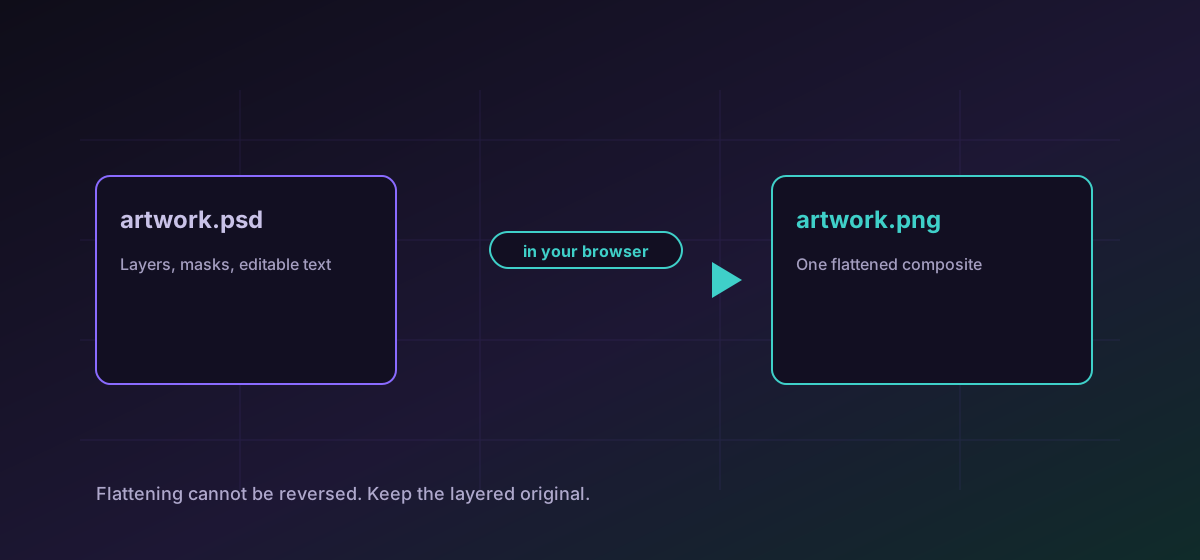
Converting a PSD produces a flattened composite: the image as it currently appears, with every layer merged. Layers, masks, adjustment layers, smart objects, text that is still editable and the whole revision history do not come with it. Convert PSD to PNG when you need to show someone the result.
EXR and HDR: more light than a screen has#
OpenEXR and Radiance HDR both store high-dynamic-range data. Instead of a value from 0 to 255 per channel, they hold floating-point values that can describe a bright sky and a dark interior in the same frame without either clipping. That is exactly what makes them useful in rendering and compositing.
An 8-bit PNG or JPG cannot hold that range, so converting one means choosing which part of the range to keep. Convert EXR to PNG or convert HDR to JPG produces a viewable image by clamping to the displayable range and applying the standard transfer function.
In practice that means bright areas may go flat white and dark areas may crush to black. This is not a defect. It is the honest consequence of putting a wider range into a narrower container, and it is why the source file continues to exist.
JPEG 2000, briefly#
JP2 turns up in archives, medical imaging and cinema packages, and almost nowhere else. Browsers largely do not display it, which is usually why people need it converted. Convert JP2 to PNG gives you something that opens anywhere.
Choosing a target#
- PNG when the image has transparency, text, or flat areas, and when you would rather have a larger file than any compression artefacts.
- JPG when it is a photograph or a render destined for email or the web and the size matters more than the last few percent of fidelity.
- WebP or AVIF when it is going on a website and you control the markup. Both are smaller than JPG at the same quality.
The trade-offs between the web formats are set out in AVIF vs WebP vs JPG, and the general comparison in image formats compared.
Troubleshooting
Expected. High-dynamic-range values were clamped into the displayable range. Tone-map in a compositing application first if you need control over which part of the range survives.
Flattening is what the conversion does. Keep the PSD as the master; the exported image is a delivery copy and cannot be reversed.
Text layers are rasterised during flattening. Editing has to happen in the layered original.
Render frames and layered documents are frequently hundreds of megabytes. Work on a machine with more memory, or export a smaller version from the authoring application.
Frequently asked questions
Can I get my layers back from a converted PSD?
No. Flattening merges layers into a single image and the structure is not recorded anywhere in the output. The layered original is the only copy of that work.
Why does my EXR look wrong as a PNG?
EXR stores floating-point light values with a far wider range than an 8-bit image can hold. Converting clamps that range, so highlights can flatten and shadows can crush. Tone-map first if you need to choose what survives.
What is JP2 and why will nothing open it?
JPEG 2000, used in archives, medical imaging and cinema packages. Browsers largely do not support it, which is usually why it needs converting to something ordinary.
Should I convert a PSD to PNG or JPG?
PNG if it has transparency, text or flat colour areas. JPG if it is photographic and the file size matters more than the last few percent of fidelity.
Is my artwork uploaded?
No. Every conversion runs in your browser. Unreleased client work is never transmitted and no server holds a copy.