ODS and XLSX: Two Spreadsheet Standards That Mostly Agree
LibreOffice writes ODS, Excel writes XLSX, and both are ZIP archives of XML. Moving between them is routine; the places they disagree are worth knowing before a deadline.
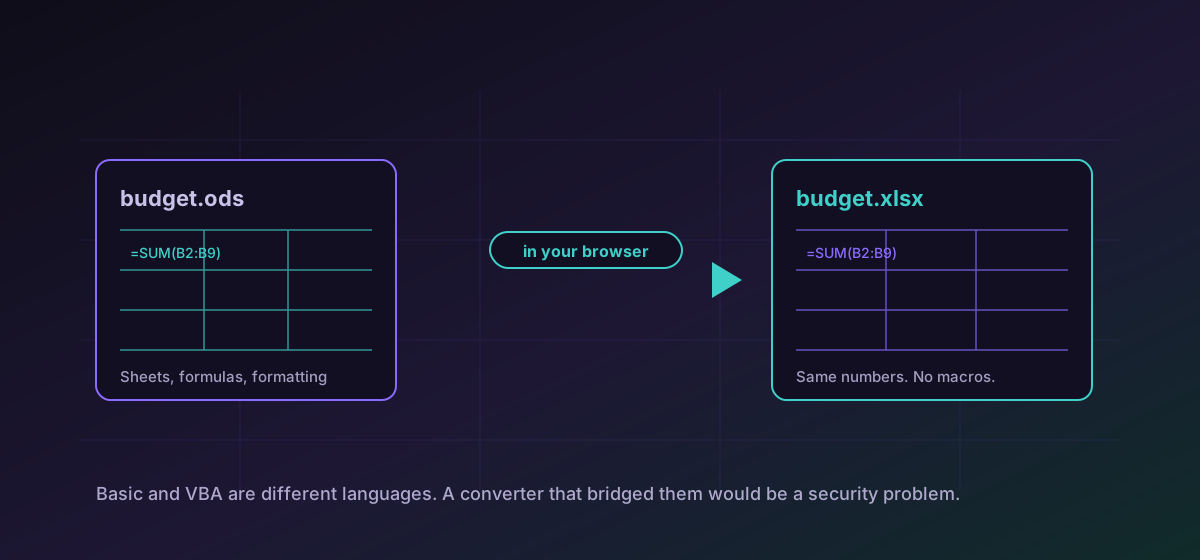
Two spreadsheet formats dominate, and they are more alike than their politics suggest. ODS is OpenDocument, the ISO standard LibreOffice and OpenOffice write by default. XLSX is Office Open XML, what Excel has written since 2007. Both are ZIP archives containing XML, and both describe the same ideas: sheets, cells, formulas, formatting.
Converting between them is an everyday operation. It is also where people discover which of their spreadsheet's features were standard and which were not.
What travels without trouble#
- Cell values, of every type: text, numbers, dates, booleans.
- Multiple sheets, with their names and order.
- Ordinary formulas. SUM, AVERAGE, VLOOKUP and the rest of the common vocabulary are shared.
- Basic formatting: fonts, colours, borders, number formats, column widths.
Convert ODS to XLSX when a colleague needs it in Excel, or convert XLSX to ODS going the other way. If all you need is the numbers, convert ODS to CSV strips everything else away.
Where they part company#
Beyond macros, the differences narrow to the edges. Pivot tables may survive structurally while losing configuration. Conditional formatting rules can be expressed differently and occasionally arrive simplified. Charts are the least reliable, because chart models differ more than cell models do. Vendor-specific functions with no counterpart come through as errors, which is at least honest.
The check that takes a minute and saves a day#
- Open the converted file and look at the totals. If the numbers that matter are right, the formulas survived.
- Look for error values. A scattering of them points at functions with no equivalent.
- Check the sheet count and their names, which catches a surprising number of partial conversions.
- If the workbook had charts, look at them specifically rather than assuming.
For getting data out rather than moving a workbook, the CSV, JSON and Excel guide covers the type-loss problem that comes with CSV, and converting macro-enabled documents safely covers the macro question in more depth.
Which one to keep#
For archiving, ODS has a mild advantage: it is an ISO standard with a single specification, and it is what several public bodies mandate for records. For everyday exchange, XLSX is what most recipients expect, and a file nobody can open is not well archived either.
The genuinely durable choice for tabular data that must outlive both is CSV, accepting that it holds no formulas and no formatting. Which is the right answer depends entirely on whether the spreadsheet is a document or a dataset.
Troubleshooting
Expected, and correct. LibreOffice Basic and VBA are different languages against different object models; there is no conversion between them, and producing one would be a security problem.
Those formulas used functions with no counterpart in the target. An error is the honest outcome; rewrite them using functions both applications share.
Chart models differ far more than cell models. Rebuild charts in the destination, or export them as images if they only need to be seen.
Rule models are expressed differently and can arrive simplified. Check the rules rather than the appearance of one cell.
Frequently asked questions
Do formulas survive between ODS and XLSX?
Ordinary ones do. SUM, AVERAGE, VLOOKUP and the common vocabulary are shared. Vendor-specific functions with no counterpart arrive as errors, which is preferable to a silently wrong number.
Why did my macros disappear?
Because ODS macros are LibreOffice Basic and XLSX macros are VBA: different languages, different object models. A converter that generated executable code across that gap would be a security problem, not a feature.
Which format is better for archiving?
ODS has the edge as an ISO standard with one specification, and several public bodies mandate it. For data that must outlive both, CSV is the durable choice, accepting that it holds no formulas.
Will my charts survive?
Least reliably of anything. Chart models differ much more than cell models, so check them specifically and be prepared to rebuild them in the destination.
Is my spreadsheet uploaded?
No. It is converted in your browser, which matters because payroll, pricing and patient lists live in spreadsheets more often than in databases.