YAML, TOML, JSON and INI: Converting Config Without Breaking It
Four formats that all store settings and disagree about almost everything else. What converts cleanly, what silently changes meaning, and why comments never survive the trip.
Every tool picks a configuration format and every tool picks a different one. Sooner or later you have settings in YAML and something that only reads TOML, or a JSON blob you want to make readable. The conversion itself is usually trivial. The interesting part is the handful of places where it changes what the file means.
The one thing you always lose#
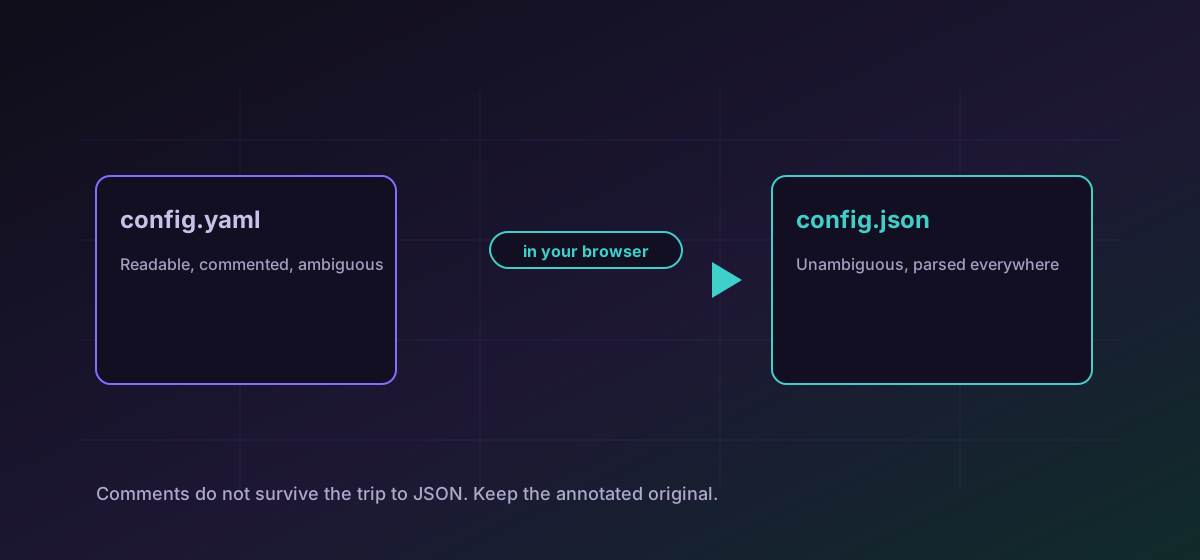
Comments. YAML, TOML and INI all support them; JSON does not, and no converter can invent a place to keep them. A config file's comments are frequently the only documentation a setting has, so this is not a cosmetic loss.
What each format is good at#
- JSON is unambiguous and universally parsed, and it is genuinely unpleasant to hand-edit. No comments, no trailing commas, and quotes around everything.
- YAML is the most comfortable to read and the easiest to get subtly wrong, because indentation carries meaning and several bare words are interpreted as values rather than text.
- TOML aims to be obvious. Explicit types, explicit tables, few surprises. It is a good destination when a file is edited by people.
- INI is the oldest and the simplest: sections and key-value pairs, no nesting, no types. Everything is a string until something else decides otherwise.
The common moves are YAML to JSON when a program needs to parse it, JSON to TOML when a person needs to edit it, and TOML to JSON when a build step demands it.
The traps that actually bite#
YAML turns some words into values#
In YAML, an unquoted no can be read as a boolean false, and a country code like NO is the classic example. Version numbers such as 1.10 can be read as numbers and lose the trailing zero. When converting out of YAML, look hard at anything that was not quoted.
INI has no nesting and no types#
Converting nested structure into INI either flattens it or fails. Neither is a bug; INI simply has no way to express a map inside a map. Going the other way, every INI value arrives as a string, so a port number becomes text rather than a number until something converts it.
Key order is not meaning#
Most parsers treat a mapping as unordered, so a converted file may list keys in a different order. That is almost always harmless and occasionally matters, so diff the parsed values rather than the raw text when checking a result.
A sane way to check the result#
- Feed the converted file to the tool that will consume it, in a scratch environment, before anything real depends on it.
- Compare the values that matter by name rather than scanning the whole file.
- Look specifically at booleans, version strings and anything that was unquoted in the source.
- Keep the commented original beside the generated file and note which one is authoritative.
If the data is tabular rather than hierarchical, the CSV, JSON and Excel guide covers that shape instead, and the general checking habit is in verifying conversion results.
Troubleshooting
YAML reads several bare words as booleans. Quote the value in the source and convert again.
It was read as a number rather than text. Quote it in the source so it stays a string.
INI has no nesting. Flatten the structure deliberately with a naming convention, or choose TOML, which does support tables.
Expected when the target is JSON, which has no comment syntax. Keep the annotated file as the source of truth and treat the JSON as generated.
Frequently asked questions
Why did my comments disappear?
JSON has no comment syntax, so there is nowhere for them to go. Keep the commented YAML or TOML in version control as the authoritative file and regenerate the JSON from it.
Which format is best for a configuration file people edit?
TOML, usually. It is explicit about types and structure and has few surprises. YAML reads more naturally but has more ways to mean something you did not intend.
Is converting YAML to JSON lossless?
For the data, generally yes. For the file, no: comments are lost, key order may change, and anything YAML interpreted loosely is fixed in place by the conversion. Check unquoted values.
Why is everything from my INI file a string?
INI has no type system. Every value is text until the consuming application decides otherwise, so numbers and booleans arrive quoted and may need coercing.
Is it safe to convert a config file containing secrets?
Here, yes, because the conversion runs entirely in your browser and the file is never transmitted. It would not be safe on a service that uploads the file, and configuration holds credentials more often than people expect.