Someone Sent You a Parquet File and You Do Not Have a Data Stack
Parquet, Arrow and Feather are columnar formats built for analytics tools you may not have installed. Here is how to get at the data in your browser, and when converting to CSV is the wrong answer.
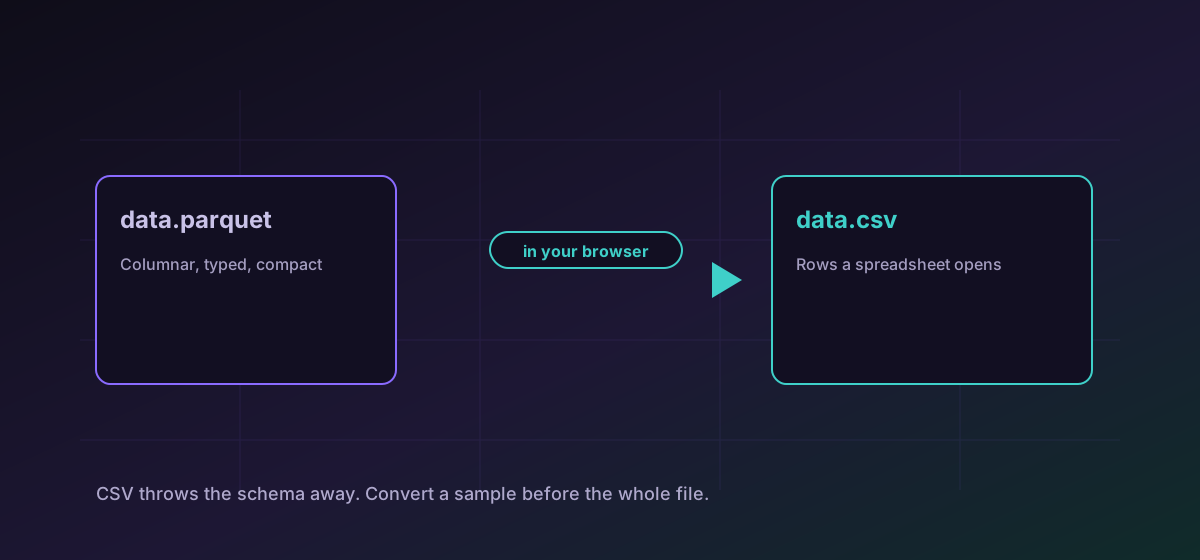
Parquet has quietly become the default way data teams hand each other tables. It is compact, it is fast to query, and it is completely opaque if you do not have Python, Spark or a database in front of you. Getting a spreadsheet out of one should not require installing an analytics stack.
This covers reading Parquet, Arrow and Feather in your browser, what makes them different from a CSV, and the cases where converting to CSV quietly damages the data.
Columnar is a different idea, not a better one#
A CSV stores row by row. Parquet and Arrow store column by column. That sounds like a technicality and produces two practical consequences: columnar files compress far better, because a column of similar values repeats, and they let a query read one column without touching the rest.
The other consequence is the one that matters here. A columnar file carries a schema. Each column has a declared type, and that type is part of the file rather than a guess made by whatever opens it. See the Parquet format reference for what travels.
Getting the data out#
For a look at the contents, or to open it in a spreadsheet, convert Parquet to CSV. Arrow and Feather travel the same way: convert Arrow to CSV. Both run in the browser, so a dataset that may be confidential is never uploaded to an unknown service just to be read.
When CSV is the wrong target#
- When identifiers have leading zeros or exceed fifteen digits. A spreadsheet will mangle both, and the damage happens on open rather than on convert.
- When precision matters. Decimal columns become text and are re-parsed as floating point by the next tool along.
- When the file is genuinely large. CSV is several times bigger than the Parquet it came from, and a spreadsheet has a row limit that a dataset frequently exceeds.
- When nulls are meaningful. Columnar formats distinguish an empty string from a missing value; CSV generally cannot.
In those cases, convert a sample rather than the whole file, confirm the shape, and do the real work in a tool that understands types.
A workable approach#
- Convert to CSV first, just to see the columns and a few rows. Understanding the shape is usually the actual goal.
- Decide whether you need the data or only the answer. Often a glance at the columns is enough.
- If you need to keep working with it, note which columns carry identifiers, decimals or dates, because those are the ones a spreadsheet will damage.
- Open the CSV as text rather than double-clicking it, and set those columns to text on import.
The same type-loss problem shows up whenever tabular data moves between tools, and is covered more fully in the CSV, JSON and Excel guide.
Troubleshooting
The spreadsheet parsed a text column as a number on open. Import the CSV rather than double-clicking it, and set that column to text.
Same cause. The zeros are present in the CSV; the spreadsheet removed them while interpreting the column as numeric.
Expected. Columnar storage compresses repeated values; CSV writes every cell out in full. Convert a sample if you only need to inspect the shape.
CSV cannot generally distinguish them. If that difference matters, keep the columnar file and use a tool that preserves it.
Frequently asked questions
What is Parquet actually for?
Storing tables compactly and querying them quickly. It stores data column by column rather than row by row, which compresses well and lets a query read one column without touching the others.
Will converting to CSV lose anything?
Yes, the schema. Every column becomes untyped text and the next tool guesses. That is how leading zeros disappear and long identifiers become scientific notation, so it is worth knowing before rather than after.
Can I convert a CSV back into Parquet here?
No. That route is not published, and it would require inventing the type information the CSV threw away. Use a tool that lets you declare the schema explicitly.
Is my dataset uploaded anywhere?
No. The conversion runs entirely in your browser. For a file that is usually a table of real records, that is the difference between inspecting your own data and handing it to a third party.
What about very large files?
A browser has a memory ceiling and a spreadsheet has a row limit, and datasets exceed both regularly. Convert a sample to understand the shape, then do the real work in a tool built for the size.