SQLite and DBF: Reading a Database File Without a Database
A .db from an application and a .dbf from 1995 are both self-contained databases sitting in a folder. How to look inside one, and what a flat export quietly discards.
Two very different eras produced the same useful idea: a database that is one file you can copy. DBF came from dBASE and FoxPro and is still the table format inside a shapefile. SQLite came much later and is now, by a wide margin, the most deployed database engine in the world, sitting inside phones, browsers and most desktop applications.
When one lands on your desk, the question is what is inside it.
SQLite: a whole database in one file#
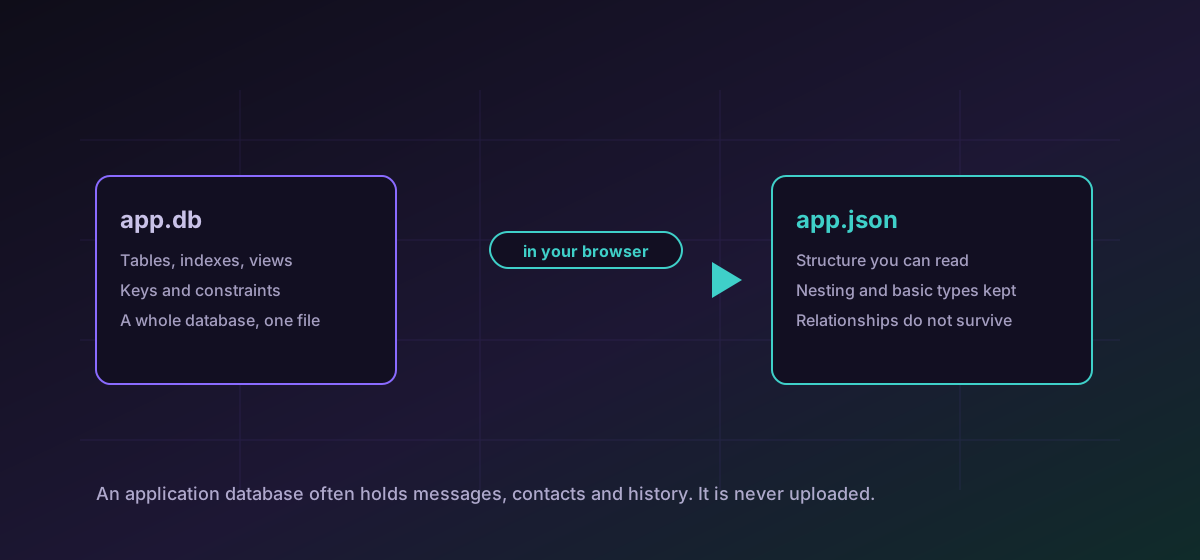
A SQLite file holds tables, indexes, views and the schema that defines them. That is why an application can ship one and nothing needs installing. Convert SQLite to JSON to see the structure and the contents as a readable tree.
Two things are worth knowing before you start. Files named .db, .sqlite and .sqlite3 are all the same format, and the extension is a convention rather than a rule. And a database in active use may have a write-ahead log beside it, so a copy taken without that sidecar can be missing the most recent changes.
DBF: one table, and a surprising amount of metadata#
A DBF holds exactly one table with a strongly typed header: field names, types, widths and decimal places. That header is the reason a DBF is often more informative than the CSV someone would otherwise have sent. Convert DBF to CSV for a spreadsheet, or convert DBF to JSON to keep the structure.
What a flat export loses#
This is the part worth pausing on. A database is not a table; it is tables plus the relationships between them. Exporting to CSV gives you the rows and throws away everything that made them a database.
- Relationships. A foreign key linking orders to customers becomes an ordinary column of numbers with no stated meaning.
- Constraints. Uniqueness, nullability and check constraints described what the data is allowed to be, and none of it survives.
- Types. CSV has none, so dates, decimals and booleans all become text and the next tool guesses.
- Indexes and views. Both are structure rather than data, and neither exists in a flat file.
JSON preserves rather more, including nesting and basic types, which is why it is usually the better target when the goal is understanding rather than a spreadsheet. The type-loss problem is the same one described in the Parquet and Arrow guide.
Old encodings, old dates#
DBF predates Unicode. Text is stored in a code page recorded, sometimes, in the header, and a file from a non-English system can arrive with mangled accented characters if that byte is missing or wrong. If names look corrupted, the encoding is nearly always the cause rather than the conversion.
Dates are the other legacy trap: DBF stores them as eight characters, and empty or malformed values are common in files that have been maintained for decades.
Troubleshooting
DBF predates Unicode and stores a code page in the header that is sometimes missing or wrong. The conversion is reading what is there; the encoding is the problem.
An active database keeps a write-ahead log in a sidecar file. A copy taken without it lacks the newest transactions.
The .dbf did not travel with it. A shapefile is several files that must stay together.
Expected. A flat file has no way to express a relationship. Export to JSON, or keep the database and query it.
Frequently asked questions
What is the difference between .db, .sqlite and .sqlite3?
Nothing. All three are conventional names for the same SQLite format, and applications pick whichever they prefer.
Why does my shapefile need a DBF?
Because the .dbf holds the attributes for each shape. Without it you have geometry and no information about what any of it represents.
Should I export to CSV or JSON?
JSON if you want to understand the data, because it keeps nesting and basic types. CSV if a spreadsheet is the destination and you accept that every column becomes text.
Can I convert a CSV back into a database?
Not here. Rebuilding a database means declaring types, keys and constraints, and those are decisions rather than conversions. A tool that guessed them would produce something that looked right and was not.
Is my database uploaded?
No. It is read in your browser. That matters especially for application databases, which often contain messages, contacts and location history in one file.