Extract and Convert Archives (RAR, 7Z, ZIP) Safely in the Browser
Open and repackage RAR, 7-Zip, and ZIP archives locally with real WebAssembly engines, with traversal and expansion protections and no uploads.
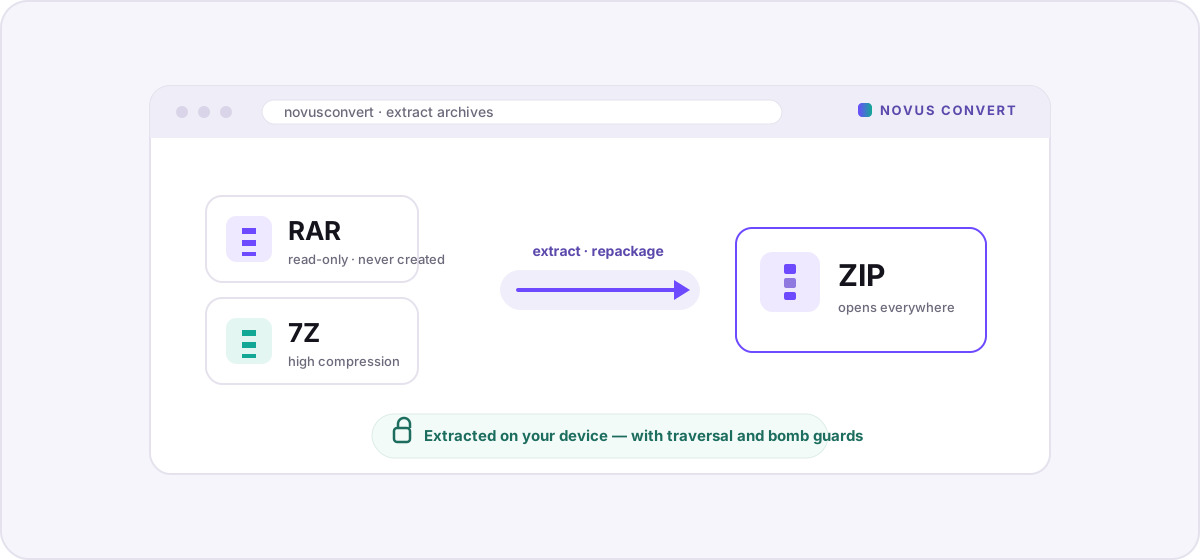
Someone sends you a .rar full of photos, or you download a game mod packed as a .7z, and suddenly your options feel bad: install WinRAR and click past its forever-expired trial, or hand a folder of your files to whatever “free online extractor” ranks first that day. There is a third way. Novus Convert opens RAR, 7-Zip, and ZIP archives directly in your browser, lets you look inside, and repackages the contents into a plain ZIP that opens anywhere, and every byte stays on your device.
Three formats, one recurring headache#
RAR, 7Z, and ZIP all bundle files together, but they come from very different places. ZIP is the universal one: Phil Katz published its specification in 1989, every operating system reads and writes it without extra software, and each entry is compressed on its own so a single file can be pulled out without touching the rest. 7-Zip, released by Igor Pavlov in 1999, trades that universality for much tighter compression. Its LZMA codec and “solid” mode routinely beat ZIP by a wide margin, which is why big downloads ship as .7z. RAR is the odd one out: it is proprietary, designed by Eugene Roshal in 1993, and its license explicitly forbids anyone from writing a compatible compressor.
That last detail matters more than it sounds. It means no browser tool, and no free software of any kind, can legally create a .rar file. Extraction, happily, is a different story: reading a RAR is fair game, so unpacking one and rebuilding its contents as a standard ZIP is exactly what “RAR to ZIP” means here. You are not converting one proprietary container into another; you are freeing the files inside and handing them back in a format the whole world can open.
How Novus Convert opens and repackages archives#
Reading RAR and 7Z in a browser is only possible because libarchive, the same C library that powers extraction in Windows 11's File Explorer and countless Linux tools, has been compiled to WebAssembly. Novus Convert runs that engine to decode the archive, then uses a fast JavaScript ZIP writer to lay the extracted files back down as a fresh, standards-compliant ZIP. The whole pipeline is local, so speed depends on your device rather than an upload bar.
- Open the RAR to ZIP converter, the 7z to ZIP converter, or drop a mixed batch into the general converter.
- Drag your .rar or .7z onto the drop zone, or tap to browse. The archive is read where it sits. It is never sent anywhere.
- Let the WebAssembly engine unpack the contents in memory. Larger or heavily compressed archives take longer, since your CPU is doing the work a server would normally do.
- Confirm the output is set to ZIP. The extracted files are repackaged with per-file compression so recipients can open any single entry on any platform.
- Download the finished ZIP. Novus Convert checks the real ZIP file signature before the download button unlocks, so a truncated or malformed result never reaches you.
The security part: traversal and expansion protections#
An archive is not just data; it is a set of instructions for where files should go, and a hostile archive can lie about that. The classic trick, catalogued as the Zip Slip vulnerability, is an entry whose stored name is something like ../../secrets/config. A naive extractor follows those ../ segments and writes the file outside the folder you intended, potentially overwriting something important. Novus Convert normalizes and inspects every entry path as it decodes, rejecting absolute paths and any name that tries to climb out of the extraction root.
The other danger is size. A decompression bomb is a tiny archive, a few kilobytes, engineered to expand into gigabytes or more, exhausting memory the instant you unpack it. Because extraction here happens inside your browser tab, an unbounded expansion would crash the page rather than a server, so the engine watches the running uncompressed total and stops early when an archive's expansion ratio looks deliberately abusive. You get a clear failure instead of a frozen tab.
If you mostly want the files, ZIP is the friendliest place to land them, and the ZIP format guide covers why it opens natively on every system. If you are weighing this whole browser-first approach against the usual upload-and-wait sites, the honest breakdown in browser vs online converters lays out where each one actually sends your data, which, for anything as revealing as a full archive, is the question that matters most.
Troubleshooting
Yes. Reading a RAR is permitted, so Novus Convert uses a WebAssembly build of libarchive to unpack the archive in your browser and then rebuilds the contents as a standard ZIP. What it cannot do, because the RAR format is proprietary and its license forbids third-party compressors, is create a new .rar file. “RAR to ZIP” therefore means extracting the RAR and repackaging its files as ZIP, all without any desktop software.
The extraction itself is designed to be safe: the engine rejects entry paths that try to escape the target folder (the Zip Slip trick) and halts archives that expand abusively, like decompression bombs. What it cannot judge is intent. An archive can be perfectly well-formed and still contain a malicious program. So the unpacking is protected, but you should still treat any executable from an untrusted source with care.
Because 7-Zip's LZMA codec and solid compression squeeze data far harder than ZIP's DEFLATE, which compresses each file independently. Converting to ZIP unwraps that tighter compression and re-applies a lighter one, so the file usually grows. You are trading size for the ability to double-click the archive open on any device. If the smallest possible file is the goal, keep the 7z; if universal compatibility is the goal, ZIP wins.
Frequently asked questions
Can I convert a RAR to a ZIP without installing WinRAR?
Yes. Reading a RAR is permitted, so Novus Convert uses a WebAssembly build of libarchive to unpack the archive in your browser and then rebuilds the contents as a standard ZIP. What it cannot do, because the RAR format is proprietary and its license forbids third-party compressors, is create a new .rar file. “RAR to ZIP” therefore means extracting the RAR and repackaging its files as ZIP, all without any desktop software.
Is it safe to open an archive from the internet in the browser?
The extraction itself is designed to be safe: the engine rejects entry paths that try to escape the target folder (the Zip Slip trick) and halts archives that expand abusively, like decompression bombs. What it cannot judge is intent. An archive can be perfectly well-formed and still contain a malicious program. So the unpacking is protected, but you should still treat any executable from an untrusted source with care.
Why is my repackaged ZIP larger than the original 7z?
Because 7-Zip's LZMA codec and solid compression squeeze data far harder than ZIP's DEFLATE, which compresses each file independently. Converting to ZIP unwraps that tighter compression and re-applies a lighter one, so the file usually grows. You are trading size for the ability to double-click the archive open on any device. If the smallest possible file is the goal, keep the 7z; if universal compatibility is the goal, ZIP wins.
Does anything get uploaded during extraction?
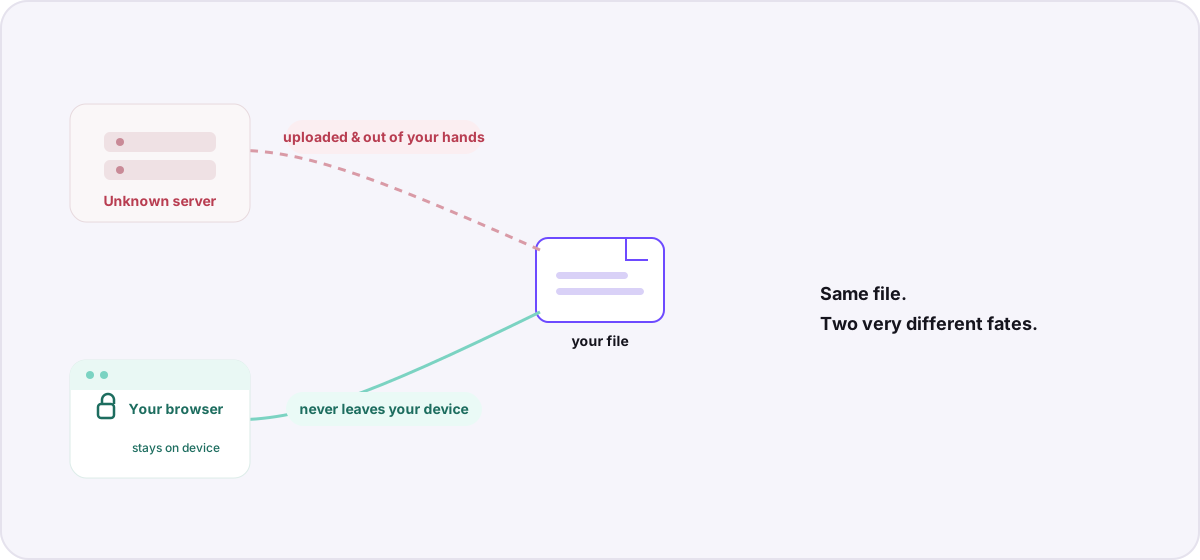
No. The archive is decoded and repackaged entirely in your device's memory using WebAssembly. There is no server-side step and no upload. That is also why processing speed tracks your CPU rather than your connection, and why the filenames and folder structure inside your archive never leave your machine.
Can Novus Convert open password-protected archives?
It can attempt to, using the password you supply, with the decryption happening locally like everything else. Whether it succeeds depends on the encryption scheme the archive uses. Modern AES-encrypted RAR5 and 7z archives are widely supported, while some older or unusual schemes are not. The password is used in memory to unlock the data and is never transmitted.