How to Compress Video and Images Without Uploading Them Anywhere
Shrink photos and video on your own device with adjustable quality and measured savings, a private alternative to upload-based compressors.
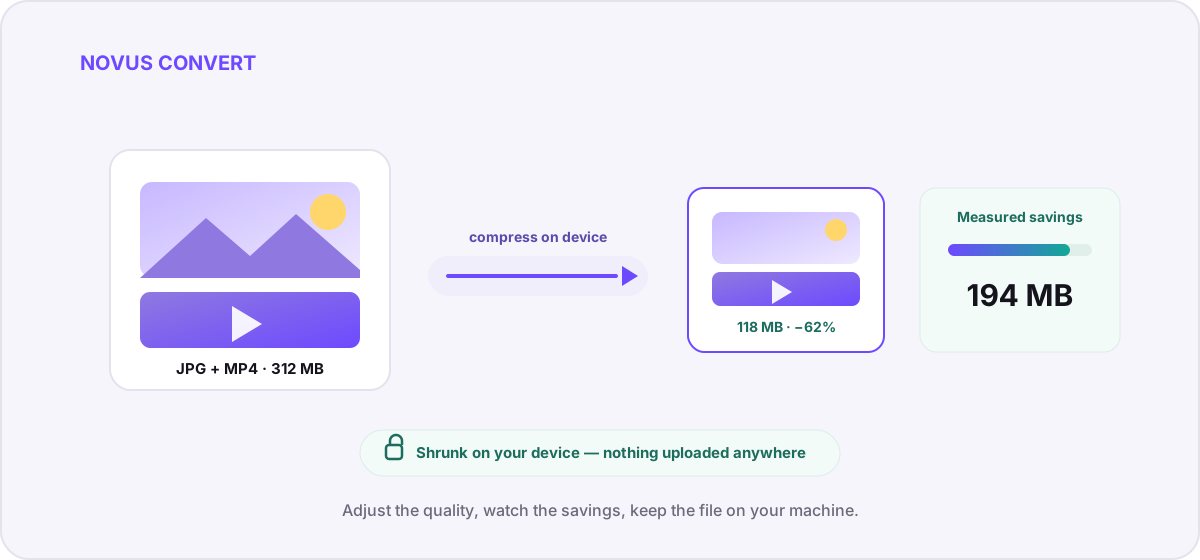
You want to make a heavy photo or a long video smaller so it fits an email, a form, or a chat that keeps rejecting it. The usual advice is to search for a “free online compressor,” drop your file in, and wait. It works, but in that quiet moment while a spinner turns, your personal file has already left your device and landed on a server you will never see. This guide shows how to get the same smaller file without that handoff: the compression runs entirely on your own machine, and nothing is uploaded anywhere.
What an upload-based compressor actually does with your file#
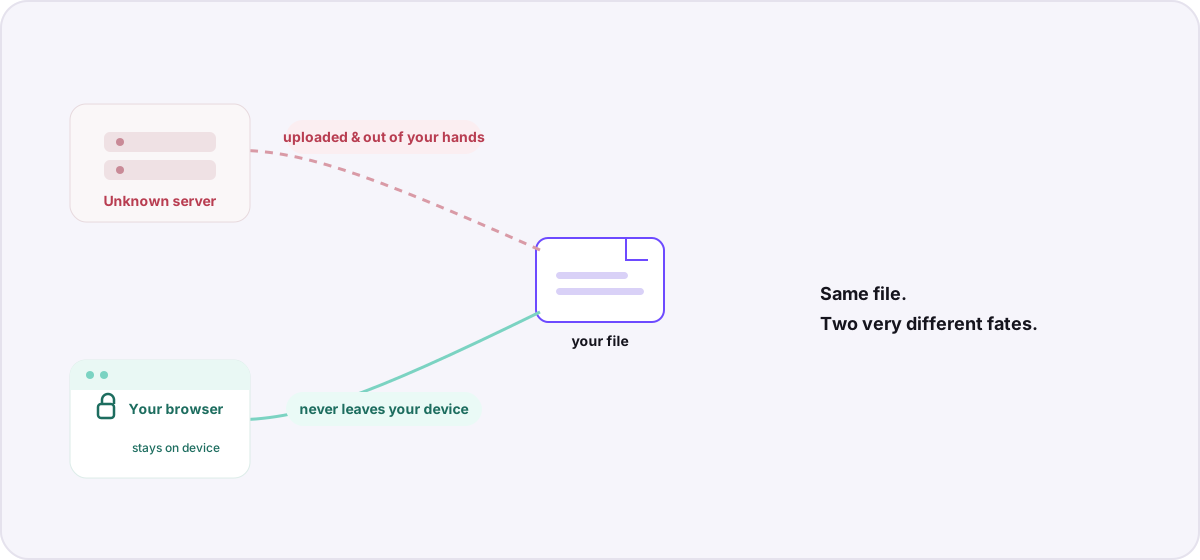
A conventional online compressor is a round trip. Your browser sends the whole file to a remote server, that server re-encodes it, and then it sends a smaller version back for you to download. The compression itself is ordinary, the same math any tool would run, but the location is the problem. For the seconds or minutes that the job takes, a complete copy of your image or video exists on hardware you do not control, governed by a privacy policy you did not read, in a jurisdiction you did not choose.
It is easy to think of a photo as just the picture, but the file carries more than pixels. Camera images embed EXIF metadata: the exact GPS coordinates where the shot was taken, the timestamp, the device model, and sometimes the serial number. Video files carry their own creation dates and device tags. When you compress that file on someone else’s server, all of that rides along. We wrote about the mechanics of that handoff in where your files really go, and it is the core reason a purely local tool exists.
How on-device compression works instead#
Novus Convert does the re-encoding inside your browser using WebAssembly builds of real media engines, FFmpeg for video and image pipelines running locally on your own processor. When you open the compression tool, your file is read into your browser’s memory, decoded, re-encoded at the quality you pick, and handed back as a download. There is no upload step because there is no server in the loop. That single architectural difference is what makes the whole thing private by default rather than private by promise.
- Open the compression tool and drop in a photo or a video, or a batch of both. Nothing is transmitted when you add a file; it is simply read locally.
- Pick your target quality. A single slider trades a little detail for a lot of size; the tool shows you the estimate before you commit.
- Let your device do the work. Because the encode runs on your hardware, speed depends on your machine, not your upload connection.
- Check the measured result. Novus Convert reports the real before-and-after size so you can see exactly how much you saved.
- Download the validated file. The export unlocks only after the true file signature is verified, so you never download something malformed.
Adjustable quality and savings you can measure#
The point of compression is not to make a file as small as possible. It is to make it small enough while still looking right. That is why the quality control matters more than any single preset. You nudge it, watch the projected size respond, and stop the moment the trade feels fair. Because the numbers are measured on your actual file rather than guessed from an average, what you see is what you will get.
Photos and video respond to that slider a little differently, so it helps to know what each one is doing:
- Images, lowering quality discards fine gradient and texture detail your eye rarely registers at normal viewing size. A JPEG at a sensible quality setting can drop by half with no visible change; screenshots and flat graphics compress even harder.
- Video. The biggest lever is bitrate, the amount of data spent per second. Trimming it by a third is usually invisible on a phone or laptop screen, especially for talking-head footage and screen recordings where most of the frame barely moves.
- Both. If a file is already heavily compressed, there is less left to remove, and pushing harder shows artifacts sooner. The measured preview is your early warning before you download.
Being honest about the trade-offs#
Compression that meaningfully shrinks a file is lossy, which means it is a re-encode, not a perfect copy. Detail you remove does not come back by compressing the smaller file again, so the sensible habit is to keep your original as the master and treat the compressed version as an export for sharing. If you want the deeper mechanics behind video specifically (bitrate, resolution, and codec choices), our companion guide on compressing video in your browser goes lever by lever.
So the short version is this: you do not have to trade privacy for a smaller file. Start with the local compressor when you just need fewer megabytes, reach for the converter when you also need a different format, and know that either way the work happens on your device and your original never leaves it. Your files stay yours: the savings are the only thing that travels.
Troubleshooting
Yes. Novus Convert runs the compression inside your browser using local WebAssembly media engines, so the file is decoded and re-encoded in your own device’s memory. Nothing is sent to a server, which means there is no upload step and nothing to leak, the only machine that touches your file is the one you are already using.
It removes the risk that comes from handing the file to a third party, because the file never leaves your machine: its embedded GPS, timestamp, and device tags are never transmitted anywhere. The metadata still exists inside the file itself, so if you plan to share the result publicly, treat stripping metadata as a separate step from compressing.
It depends on the file and the quality you choose, but the tool measures the real before-and-after size of your actual file rather than showing an average estimate. You adjust the quality control, watch the projected savings respond, and download only when the trade between size and quality looks right to you.
Frequently asked questions
Can I compress a photo or video without uploading it to a website?
Yes. Novus Convert runs the compression inside your browser using local WebAssembly media engines, so the file is decoded and re-encoded in your own device’s memory. Nothing is sent to a server, which means there is no upload step and nothing to leak, the only machine that touches your file is the one you are already using.
Does compressing on my device remove the privacy risk of metadata?
It removes the risk that comes from handing the file to a third party, because the file never leaves your machine: its embedded GPS, timestamp, and device tags are never transmitted anywhere. The metadata still exists inside the file itself, so if you plan to share the result publicly, treat stripping metadata as a separate step from compressing.
How much smaller will my file get, and how do I know?
It depends on the file and the quality you choose, but the tool measures the real before-and-after size of your actual file rather than showing an average estimate. You adjust the quality control, watch the projected savings respond, and download only when the trade between size and quality looks right to you.
Will local compression reduce quality?
Any compression that meaningfully shrinks a file is lossy, so the output is a re-encode rather than a bit-for-bit copy. At a reasonable setting the difference is invisible for everyday viewing and sharing. Keep your original as the master if you intend to edit heavily or archive it, and use the compressed version as an export.
Is there a file-size limit when compressing in the browser?
There is no server-imposed limit because nothing is uploaded. The practical ceiling is your device’s available memory, since the whole file is processed locally. Larger files simply take longer, because your own hardware does the encoding instead of a remote server farm.