Where Do Your Files Really Go When You Use an Online Converter?
Most “free online converters” quietly upload your documents and photos to a server. Here is what that actually means for your privacy — and how browser-based conversion avoids it.
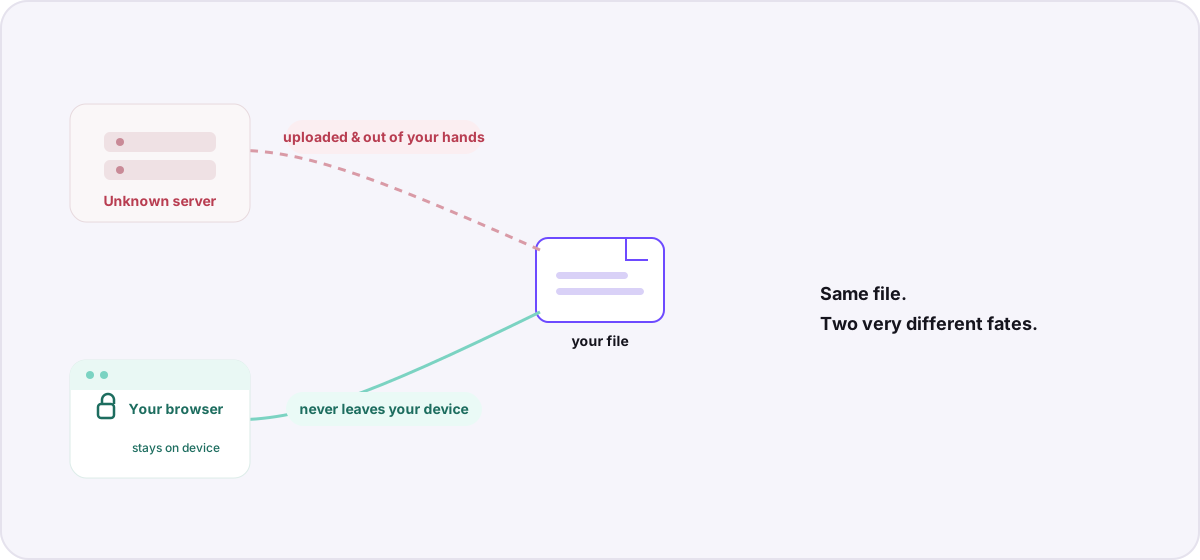
You have a PDF to turn into a Word document, or a HEIC photo that needs to be a JPG. You search “free online converter,” click the first result, drop in your file, and download the result a moment later. Simple. But in that moment, where did your file actually go? For the vast majority of these tools, the answer is: onto a server you have never heard of, run by a company you cannot name, in a country you did not choose.
The classic online converter is a round trip#
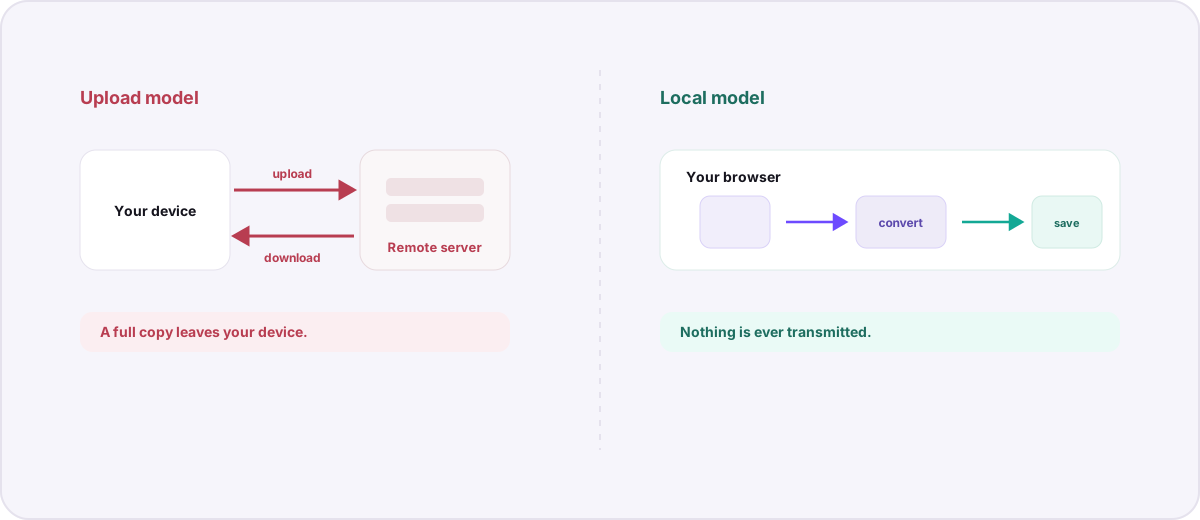
Traditional web converters follow a predictable pattern. Your browser uploads the file to their server. The server runs the conversion. Your browser then downloads the finished file back. The conversion itself is fine — the problem is the round trip. For the process to work, a complete copy of your file must leave your device and land on infrastructure you do not control.
What you are actually handing over#
A file is rarely just its visible content. Depending on the type, uploading it can expose far more than you intend:
- Photos often carry EXIF metadata: GPS coordinates of where the shot was taken, the exact timestamp, and the device that captured it.
- Documents can embed author names, revision history, comments, and tracked changes you thought were removed.
- PDFs may include hidden layers, form data, and the software fingerprint of whatever produced them.
- Everything reveals its filename, which is more telling than people expect — think “Q3-layoffs-final.xlsx” or “passport-scan.pdf”.
Why does the upload model even exist?#
Historically, browsers could not do heavy lifting like decoding a RAW photo or transcoding video, so conversion had to happen on a powerful server. That constraint is largely gone. Modern browsers can run sophisticated code through WebAssembly — the same technology that lets Novus Convert run a full FFmpeg video engine and image codecs directly on your device. The upload model persists mostly out of habit, and because uploaded files are a convenient source of data and ad revenue.
How browser-based conversion is different#
When a converter runs in your browser, your file is read into your device’s own memory, decoded and re-encoded there, and offered back to you as a download — all without a single byte being transmitted. There is no upload endpoint to breach, no server-side copy to leak, and no third party in the loop. Novus Convert is built this way by design; you can read exactly how we handle files on our security page and what we do and do not collect in our privacy policy.
The most private way to handle a sensitive file is to never let it leave the device it is already on.
How to tell which kind of tool you are using#
- Watch for an upload progress bar tied to your connection speed. Local tools are limited by your processor, not your bandwidth.
- Try it offline. A genuinely local converter keeps working with your network disconnected; an upload-based one cannot.
- Read the privacy policy for words like “we store,” “we process on our servers,” or “uploaded files.” Those describe a round trip.
- Check whether it works on very large files without complaint. Server tools cap upload sizes; local tools are bounded only by your device.
None of this means every online tool is malicious — plenty are run responsibly. But responsibility you have to take on faith is weaker than an architecture that removes the risk entirely. If you want to see the practical differences side by side, our comparison of browser-based and online converters lays them out. Or just start with the private converter and keep your files where they belong.
Troubleshooting
Upload-based converters necessarily receive a full copy of your file to perform the conversion. Whether they retain it, and for how long, depends on the operator’s policy and practices — which you cannot independently verify. Browser-based converters never receive the file at all, so there is no copy to keep.
It carries real risk. Sensitive documents can contain hidden metadata, and the filename itself can be revealing. Once uploaded, the file is on infrastructure you do not control. For anything confidential, a converter that processes files locally in your browser is a much safer choice.
Photos often include GPS location, timestamps, and device details in their EXIF data. Office documents can carry author names, comments, and revision history. PDFs may embed hidden form data and software fingerprints. Uploading exposes all of it to the receiving server.
Frequently asked questions
Do online file converters keep copies of my files?
Upload-based converters necessarily receive a full copy of your file to perform the conversion. Whether they retain it, and for how long, depends on the operator’s policy and practices — which you cannot independently verify. Browser-based converters never receive the file at all, so there is no copy to keep.
Is it dangerous to upload sensitive documents to a converter?
It carries real risk. Sensitive documents can contain hidden metadata, and the filename itself can be revealing. Once uploaded, the file is on infrastructure you do not control. For anything confidential, a converter that processes files locally in your browser is a much safer choice.
What metadata can a file leak when uploaded?
Photos often include GPS location, timestamps, and device details in their EXIF data. Office documents can carry author names, comments, and revision history. PDFs may embed hidden form data and software fingerprints. Uploading exposes all of it to the receiving server.
How can I tell if a converter uploads my files?
Look for an upload progress bar that tracks your connection speed, check whether the tool still works with your network disconnected, and read the privacy policy for language about storing or processing files on servers. Local tools keep working offline and are limited by your device, not your bandwidth.
Does Novus Convert upload my files?
No. For every conversion route currently offered, files are decoded and re-encoded entirely in your browser’s memory. There is no upload endpoint and no server-side conversion pipeline for these routes, as described on our security page.