How to Fix Common File Conversion Failures
Diagnose unsupported inputs, corrupt containers, memory limits, codec failures, and outputs that validate but do not meet the destination's needs.
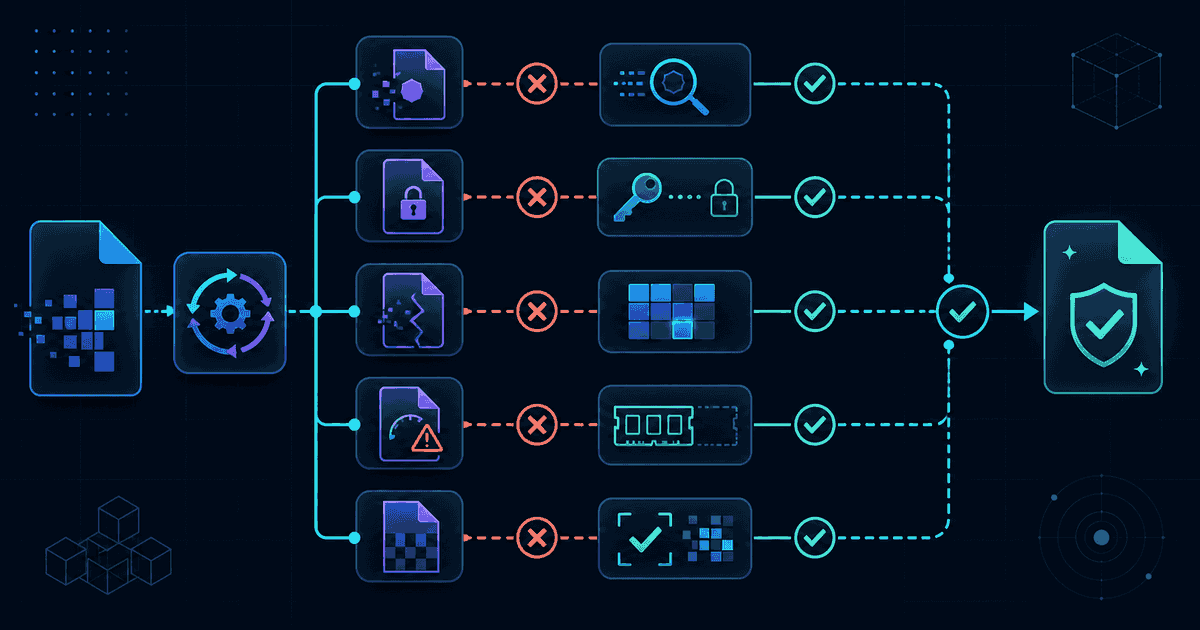
A conversion error is useful only when it narrows the next action. Repeatedly choosing the same file and settings usually repeats the same failure. Instead, separate five questions: is the source really the format its name claims, does this route have a working browser engine, is the file complete and readable, does the device have enough memory, and did the produced result meet the destination rather than merely pass a structural check? Work through those questions in order and keep the original untouched while testing.
Decision 1: the file is rejected before conversion#
Start with the filename and the bytes. A renamed extension does not change a format: calling a WebP image photo.jpg will not give it a JPEG signature. Files downloaded from messaging systems may also arrive as extensionless blobs, HTML error pages, or incomplete previews. Open the source in a trusted local application, check its reported type, and download or export it again from the originating application when the name and content disagree.
- Confirm that the file is nonzero and that its size is plausible for the expected content.
- Use the originating application's Export or Save a Copy command instead of manually changing the extension.
- If a route accepts a specific input, use the matching page or start from the general converter so source detection can suggest outputs.
- For a multi-file 3D model, keep buffers, textures, materials, and the primary model together in the folder or ZIP workflow.
Decision 2: the route is a guide, not a local converter#
A format page can explain a route even when a safe browser encoder does not exist. Check the availability badge in the compatibility explorer. Available means the registry has a local implementation and the route has passed its fixture gate. Guide means the page documents a limitation or alternative without pretending to create the target. Unsupported means there is no published path. Choosing another output is safer than changing an extension or accepting a file whose contents do not match its label.
Decision 3: the engine starts, then reports corrupt or incomplete data#
Containers such as ZIP, PDF, office documents, media files, and ebooks have internal tables, members, or end records. A transfer interrupted near the end can leave the beginning recognizable while making the package impossible to reopen. Try the source in an independent reader, compare its byte size or checksum with the sender's copy, and acquire it again. Password-protected or encrypted inputs require the authorized application to decrypt and export a new source; a browser converter should not guess or bypass protection.
When an archive or model references companion files, missing members can look like decoder failure even though the primary file is valid. Preserve relative paths and filename case. Do not flatten a folder before import. For data formats, validate syntax and encoding: unmatched CSV quotes, malformed XML, invalid UTF-8, or a schema that does not match binary records should be corrected at the source rather than patched after conversion.
Decision 4: the tab slows down, resets, or runs out of memory#
Browser-local processing protects file privacy, but it uses the memory available to the current device and tab. Decoding often needs several times the compressed file size: a small image can expand to width × height × four bytes, video requires frames and codec buffers, and archives must defend against extreme expansion ratios. Close other heavy tabs, process fewer files at once, and try a desktop with more memory. Novus Convert limits desktop concurrency to two jobs and uses one on mobile or constrained devices; heavy shared engines are serialized again internally.
- Pause the queue to stop new jobs after active codecs finish their current unpausable step.
- Cancel a job when the chosen source or output is wrong; cancellation recreates poisoned workers where the engine supports it.
- Split a large batch and start with the biggest or most complex file so resource limits appear before hours of work.
- Reduce image dimensions, video duration, or page ranges in the source application when the full-resolution intermediate exceeds the documented local limit.
Decision 5: a file downloads but looks wrong#
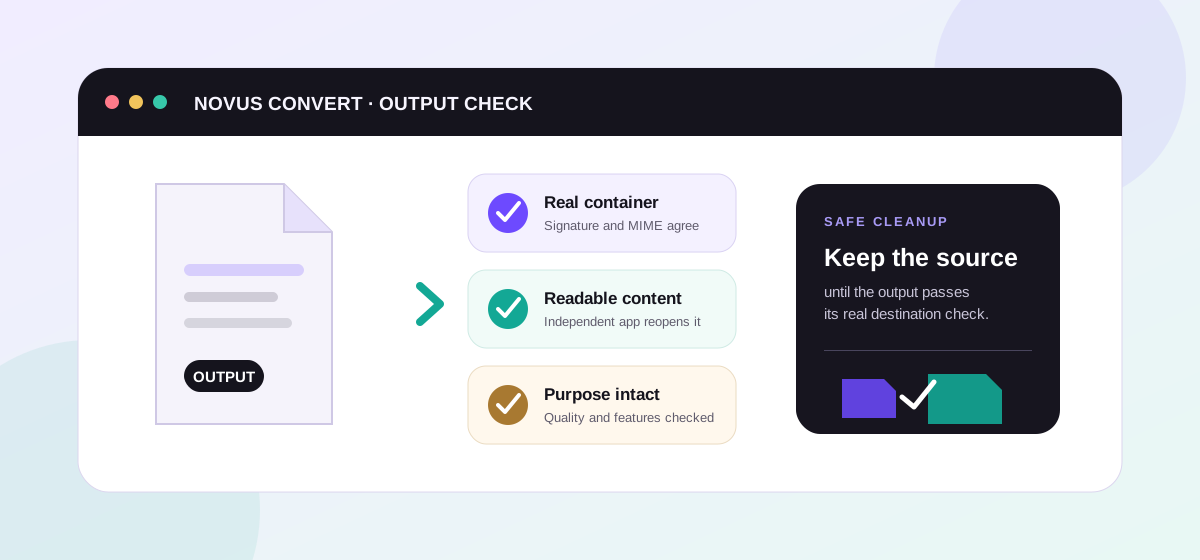
A result can pass signature and reopen checks while still being the wrong delivery choice. Blurry text, missing transparency, flattened layers, changed page breaks, absent formulas, silent audio, or reduced numeric precision point to a fidelity mismatch. Read the source and target profiles in the format directory, then reconvert from the original to a target capable of carrying the required feature. Do not convert the already degraded output again.
For media, play the beginning, middle, and end and confirm duration, tracks, frame size, and sync. For documents, compare page count, fonts, links, tables, and selectable text. For data, compare row counts, field names, types, precision, and leading zeros. For 3D work, confirm units, orientation, geometry counts, materials, and external resources. The destination application is part of the test: an output that opens in one viewer can expose a compatibility issue in the system that will actually consume it.
Retry without losing the evidence#
Keep the error message, source size, selected route, browser version, and the smallest lawful sample that reproduces the problem. Use the queue's Retry action after changing one condition at a time, such as the output, quality, batch size, or device. A successful retry still deserves the conversion verification checklist. If the problem remains, use the correction link below to report the route and message without attaching private source content.
Troubleshooting
Confirm the real format and export a fresh copy from the source application.
Choose an available target; never rename bytes to an extension the encoder cannot create.
Reopen independently, reacquire the source, and preserve companion files and paths.
Pause the queue, reduce batch size or source complexity, and use a less constrained device.
Choose a target that preserves the required feature and reconvert from the original.
Frequently asked questions
Why does changing the extension not fix an unsupported file?
The extension is only a name. Readers inspect signatures and internal structure, so the bytes must be decoded and encoded into a real target format.
Why can a small compressed file use so much memory?
Decoders expand pixels, frames, pages, archive members, and codec buffers in memory. The working set can be several times larger than the source on disk.
Should I keep retrying a guide-only route?
No. Guide status documents that a safe local encoder is unavailable. Choose a published available target that the destination supports.
What should I include in a correction report?
Include the route, source extension and approximate size, browser and version, selected output, exact error text, and whether an independent reader opens the source. Do not attach private content.