Convert legacy 3D files to GLB, STL, OBJ, 3MF, PLY, or USDZ locally.
Move FBX, 3DS, AMF, LWO, VTK, and VOX geometry into practical web, printing, editing, and AR formats locally—with explicit fidelity checks.
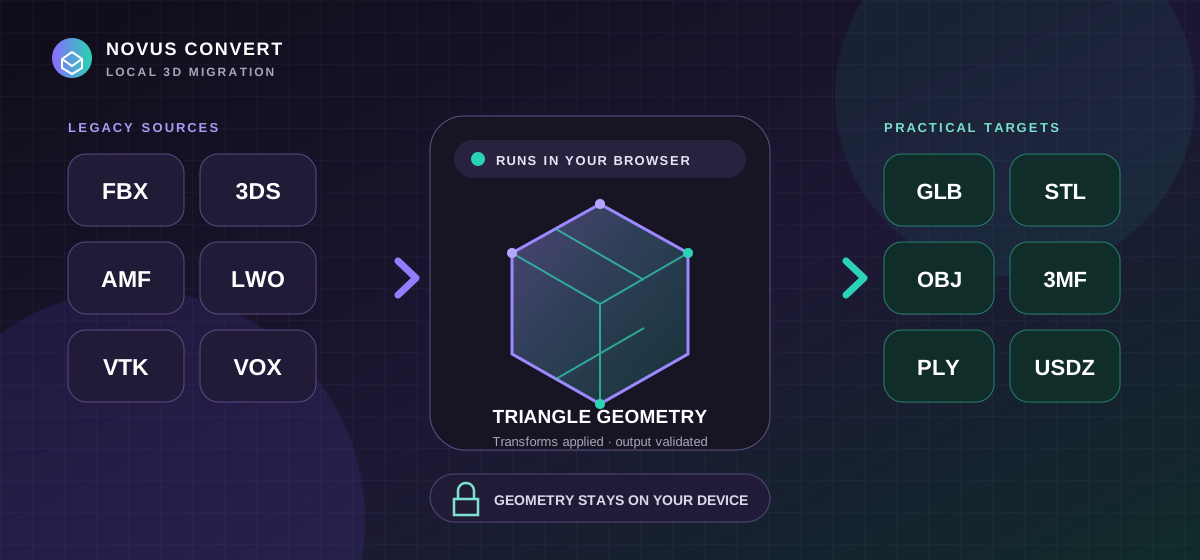
A folder of older 3D assets can contain formats from very different eras: an FBX exchange scene, a compact 3DS model, an additive-manufacturing AMF, a LightWave object, scientific VTK geometry, or a MagicaVoxel scene. The practical goal is usually not to preserve the authoring application forever. It is to recover the visible triangle surfaces into a format a current browser, slicer, modeling tool, or AR workflow can consume. Novus Convert now handles that geometry-first step locally, but a useful migration still begins by choosing the target for a specific destination and acknowledging what a surface conversion cannot carry.
Inventory the source before choosing an output#
Keep an untouched copy and identify the real format from the originating tool when possible. FBX and LWO can describe scenes with transforms, materials, rigging, and animation; 3DS has old naming and coordinate constraints; AMF is centered on additive manufacturing; VTK can contain several dataset types; and VOX stores a voxel scene rather than an ordinary authored triangle mesh. The local importer accepts the proven surface profiles for these sources, applies scene transforms, and flattens supported mesh objects into bounded triangle geometry. A file that contains no supported triangle surface should fail instead of producing an empty download.
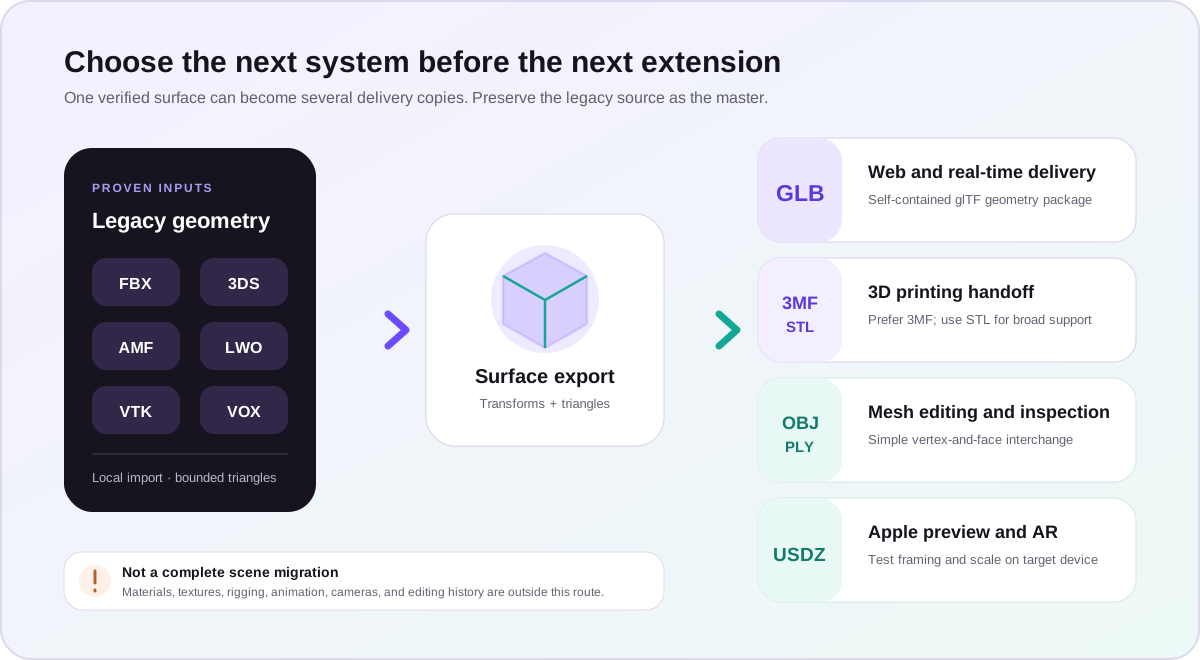
Match the target to the job#
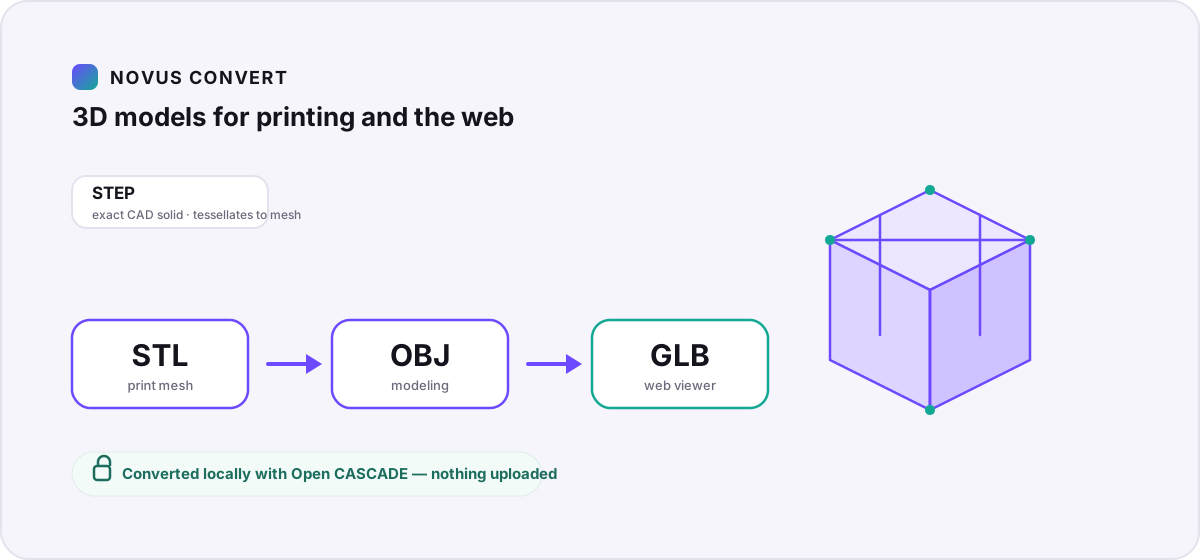
- GLB or glTF suits real-time delivery. GLB is one binary package; glTF is JSON with its geometry embedded by this exporter. Use it for browser viewers and pipelines that understand glTF 2.0 geometry.
- 3MF is a modern printing container with an explicit unit model and package structure. It is usually a better handoff than STL when the receiving slicer supports it.
- STL remains the broad compatibility choice for a triangulated print surface. It carries no standard unit declaration, materials, textures, or scene hierarchy.
- OBJ is straightforward mesh interchange for editors and scripts. This route writes geometry only, so it does not recreate a source material library or texture set.
- PLY is useful for inspection, research tools, and mesh-processing pipelines that value a simple vertex-and-face representation.
- USDZ packages the converted surface for Apple-oriented preview and AR workflows. Treat it as a geometry handoff and test it on the device that will present it.
Run a representative conversion first#
Source-specific checks make the sample more useful. For 3DS, look for truncated object names and confirm the coordinate frame. For AMF, record the unit declaration before judging physical size. For LWO, compare every visible layer that should contribute a surface. For VOX, decide whether the block-built appearance is intentional after meshing. FBX files deserve an explicit animation and material inventory so nobody mistakes a static geometry export for a full scene transfer. With VTK, identify the dataset class and confirm that the source contains polygonal surface cells. These notes turn a vague visual comparison into a repeatable acceptance contract for the rest of the collection.
Start with one ordinary asset rather than the entire archive. A web team can try FBX to GLB; a print workflow can test 3DS to STL or AMF to 3MF. For editable mesh interchange, compare LWO to OBJ and VTK to PLY. A voxel scene headed to an Apple preview can use VOX to USDZ. Each page is tied to a fixture-proven local input and a real target encoder; unsupported variants are not silently substituted.
- Record the source application, expected units, object count, dimensions, and any feature that must survive.
- Convert one file on a desktop first, leaving the original unchanged and available for comparison.
- Reopen the download in a separate target application, not only in the converter tab.
- Compare orientation, scale, bounding dimensions, vertex and triangle counts, and visible holes or flipped faces.
- Only then batch similar assets, keeping a log of sources, targets, warnings, and acceptance results.
Validate shape, scale, and destination behavior#
A structurally valid mesh can still be unsuitable. Open both source and result against the same axes and unit assumption. Measure a known edge, inspect the model from several directions, and look for geometry that vanished because it was not a triangle surface. For printing, check watertightness, normals, thickness, and slicer scale. For a web or AR target, check framing, load time, origin, and device rendering. For VTK, confirm that the selected fixture is polygonal surface data; this route is not a general converter for every volumetric, image, or unstructured-grid dataset VTK can represent.
Large compressed scenes can expand substantially in memory. The browser route enforces a 200 MB source ceiling and bounded geometry counts, and heavy jobs share the local scheduler rather than running without limit. If a model approaches those boundaries, simplify a lawful working copy in the source application or split the archive by asset. Do not repeatedly convert an already flattened output: return to the preserved original each time you choose a different target.
Troubleshooting
Confirm the real source signature and that the file contains a supported triangle surface, then export a fresh self-contained copy from the authoring tool.
Reopen source and target with an explicit axis and unit assumption; apply the required transform in the authoring or destination application.
Return to the original and use an application-level scene exporter; the local route intentionally migrates geometry rather than complete scene behavior.
Simplify or split a working copy from the original, then convert fewer assets at once on a less constrained device.
Frequently asked questions
Which target should I choose for a legacy 3D model?
Choose GLB for a self-contained web asset, 3MF or STL for printing, OBJ or PLY for basic mesh interchange, and USDZ for Apple-focused preview or AR. Test the exact receiving application before migrating a batch.
Will an FBX conversion preserve animation and materials?
No. This is a geometry-first surface route. It applies scene transforms and exports triangles, but does not preserve source materials, textures, rigging, animation, cameras, lights, or editing history.
Can every VTK dataset be converted to a mesh?
No. VTK is a broad family. The proven route covers supported polygonal surface geometry, not every volume, image-data, structured-grid, or unstructured-grid workflow. An unsupported dataset should fail rather than become a misleading mesh.
Does local conversion make a model safe to publish?
Local processing prevents the conversion service from receiving the model, but it does not grant a license, remove confidential geometry, or verify that the output is appropriate for public release. Review rights and content separately.
Should I delete the legacy source after conversion?
No. Keep the original as the authoring master. The new file is a geometry delivery copy with intentional feature loss, and future tools may recover information that this route does not carry forward.